Achieving and sustaining Radiant rank in VALORANT demands far more than raw reflex speed; it requires master-level sub-pixel crosshair discipline, flawless counter-strafing deadzones, and optimized mouse input telemetry. In competitive tactical shooters, a difference of 5 milliseconds in peeker’s advantage or a 2-pixel vertical discrepancy at head height determines whether you win a clutch duel on Ascent or get sent straight to spectator mode.
eDPI Sweet Spot: 200 – 280 eDPI (e.g., 800 DPI @ 0.25 to 0.35 in-game sensitivity)
Polling Rate: 2000Hz – 4000Hz (with Raw Input Buffer enabled to prevent micro-stutter)
Deadzone Counter-Strafe Window: 0ms to 30ms zero-velocity threshold
Daily Practice Target: 20 minutes Aimlabs tracking + 15 minutes Range Miyagi drill before ranked queue
Sub-Pixel Crosshair Placement: Angles, Geometry & Off-Angle Holding
The single most common mistake among Diamond and Ascendant players is aiming directly on the corner edge of a wall. In VALORANT’s netcode, human reaction time (average 160-200ms) combined with enemy sprint speed means an opponent swinging with knife or peeking wide will clear 50 to 100 pixels before your brain can register the click.
The Mechanics of Deadzoning: Firing with Perfect Accuracy While Moving
In VALORANT, whenever your movement speed drops below 30% of maximum velocity, your weapon retains 100% first-bullet accuracy. Deadzoning is the technique of tapping the opposite directional movement key (e.g., tapping ‘D’ while moving ‘A’) and firing 1 to 2 bullets during the exact 30-millisecond window where velocity equals zero, before reversing movement immediately.
When executed properly, to the enemy you appear to be continuously gliding horizontally across the screen while headshotting them instantly, completely breaking their crosshair placement.
Deadzone Execution Protocol: Step-by-Step
- Initiate Strafe: Hold ‘A’ to swing around cover; keep your crosshair locked onto the predicted head position.
- Release & Counter-Tap: Release ‘A’ and tap ‘D’ gently. Do not hold ‘D’—just tap it to halt momentum instantly.
- Micro-Burst: The split second momentum stops, fire a 2-bullet Vandal burst.
- Reverse & Reset: Immediately press ‘A’ again to retreat behind cover before return fire can register.
Raw Input Buffer & Mouse Sensor Calibration
To eliminate input delay and sensor smoothing:


- Enable Raw Input Buffer: In VALORANT Settings -> General -> Mouse, ensure
Raw Input Bufferis turned ON. This bypasses Windows API mouse hooks, feeding sensor data directly to Riot Vanguard at up to 8000Hz polling rates. - Disable Mouse Acceleration: In Windows Control Panel -> Mouse Settings -> Pointer Options, uncheck Enhance pointer precision. This guarantees 1:1 hardware sensor translation.
- Calibrate cm/360: Use our EsportPort Mouse Sensitivity Converter to match your exact physical mousepad distance across CS2, Apex Legends, and VALORANT.
15-Minute Daily Radiant Aim Routine
Mousepad Surface Friction & Peripheral Telemetry
While software settings are paramount, physical hardware ergonomics dictate your tracking consistency. The physical interaction between your mouse skates (PTFE or glass) and your mousepad surface directly impacts your micro-adjustment precision:
Tension Management & Grip Biomechanics: Claw vs Fingertip
Over-tensing your forearm or gripping your mouse like a vise restricts blood flow, increases muscle fatigue, and slows down your flick reaction speed by up to 25 milliseconds:
- Relaxed Claw Grip (VCT Standard): The palm rests lightly on the back hump while the index and middle fingers curve aggressively over the primary switches. This provides wrist flick stability while maintaining finger dexterity for vertical recoil pull-down.
- Fingertip Grip: Only the five fingertips touch the mouse shell. This maximizes micro-adjustment range of motion for long-range Vandal taps on Breeze and Icebox, but requires higher hand strength to maintain stability during panic sprays.
- The Tension Check Routine: During pre-round buy phases, take your hand off the mouse, shake out your wrist, and take a deep breath. Ensure your grip pressure never exceeds 4 out of 10 on a subjective tightness scale.
Crosshair Geometry Pro Tip
Avoid oversized, distracting crosshairs with firing error blooms. Top Radiant players universally utilize clean, static designs: Primary: 1-4-2-0 (Cyan or Green) with outlines turned OFF or set to 1-1 with 0.5 opacity. Cyan and vibrant green offer maximum contrast against both light and dark map textures across Ascent, Haven, and Lotus.
Micro-Flick Acceleration & Sensor Tracking Precision
In high-level VALORANT lobbies, wide flicks only account for approximately 15% of your total kills; the remaining 85% are micro-flicks where your crosshair adjusts 10 to 30 pixels onto an enemy peeker’s head. Achieving sub-pixel precision requires optimizing your physical mouse sensor alignment and monitor distance scaling:
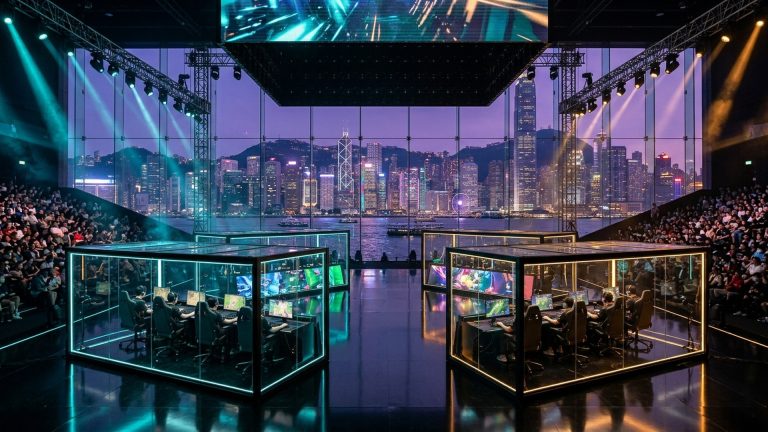
To develop subconscious crosshair placement, spend 10 minutes daily in Custom Game mode on Ascent or Haven with infinite abilities. Walk through every site corner with your crosshair glued strictly to head height using environmental reference marks (such as wall crates, door frames, and horizontal wall trim lines) without ever lowering your crosshair toward the floor.
Eye Fatigue & Monitor Ergonomics for Tournament Play
Radiant precision demands sharp visual tracking. Position your high-refresh gaming monitor (240Hz or 360Hz) approximately 45 to 60 centimeters from your eyes, with the top third of the panel aligned with your horizontal eye level. This eliminates neck strain during multi-hour ranked grinds and allows your peripheral vision to detect enemy movement pixels instantly.
Frequently Asked Questions (FAQs)
What is the optimal eDPI for Radiant ranked players in VALORANT?
Over 70% of professional VCT players and Radiant rankers use an eDPI between 200 and 280 (e.g., 800 DPI with 0.25 to 0.35 in-game sensitivity). This allows surgical micro-adjustments while maintaining enough pad space for a 180-degree flick.
Should I enable Raw Input Buffer in VALORANT settings?
Yes, absolutely. Raw Input Buffer reduces input latency by querying the mouse sensor directly, which is especially vital if you use a high-performance gaming mouse operating at 1000Hz, 2000Hz, or 4000Hz.
How do I stop spraying and panic crouching in gunfights?
Unbind your crouch key (‘Ctrl’) for one week during Deathmatch and unrated games. Practice firing exclusively in 2-bullet bursts with the Vandal, forcing your muscle memory to rely on micro-strafing rather than crouch spraying.
Related Reading & Pro Guides
Master pro shooter mechanics and competitive esports strategies on EsportPort:
- Convert your sensitivity 1:1: Universal Esports Mouse Sensitivity & DPI Converter
- Follow CS2 LAN action: BLAST Premier Rivals Fall 2026 Semifinals Scorecard & Map Meta
- Follow LoL Worlds Grand Final: LoL Worlds 2026 Grand Final Today: Gen.G vs Bilibili Gaming
- PMGC 2026 live standings: PMGC 2026 Istanbul Group Stage Day 2 Points Table
Related posts:
 Valorant Radiant Aim Hacks: Angle Snapping, DPI Scaling & Micro-Adjustment Drills
 Valorant Abyss Map Smokes & Lineups Guide: Omen One-Ways, Viper Walls & Cypher Trapwire Setups
 Valorant Radiant Aim Routine Guide: Micro-Adjustments, Crosshair Placement & Warmup Drills
 VALORANT Patch 13.10 Buffs & Sentinel Hacks: Cypher, Killjoy, Vyse Cooldowns, Sage & Gauntlet Glitched