
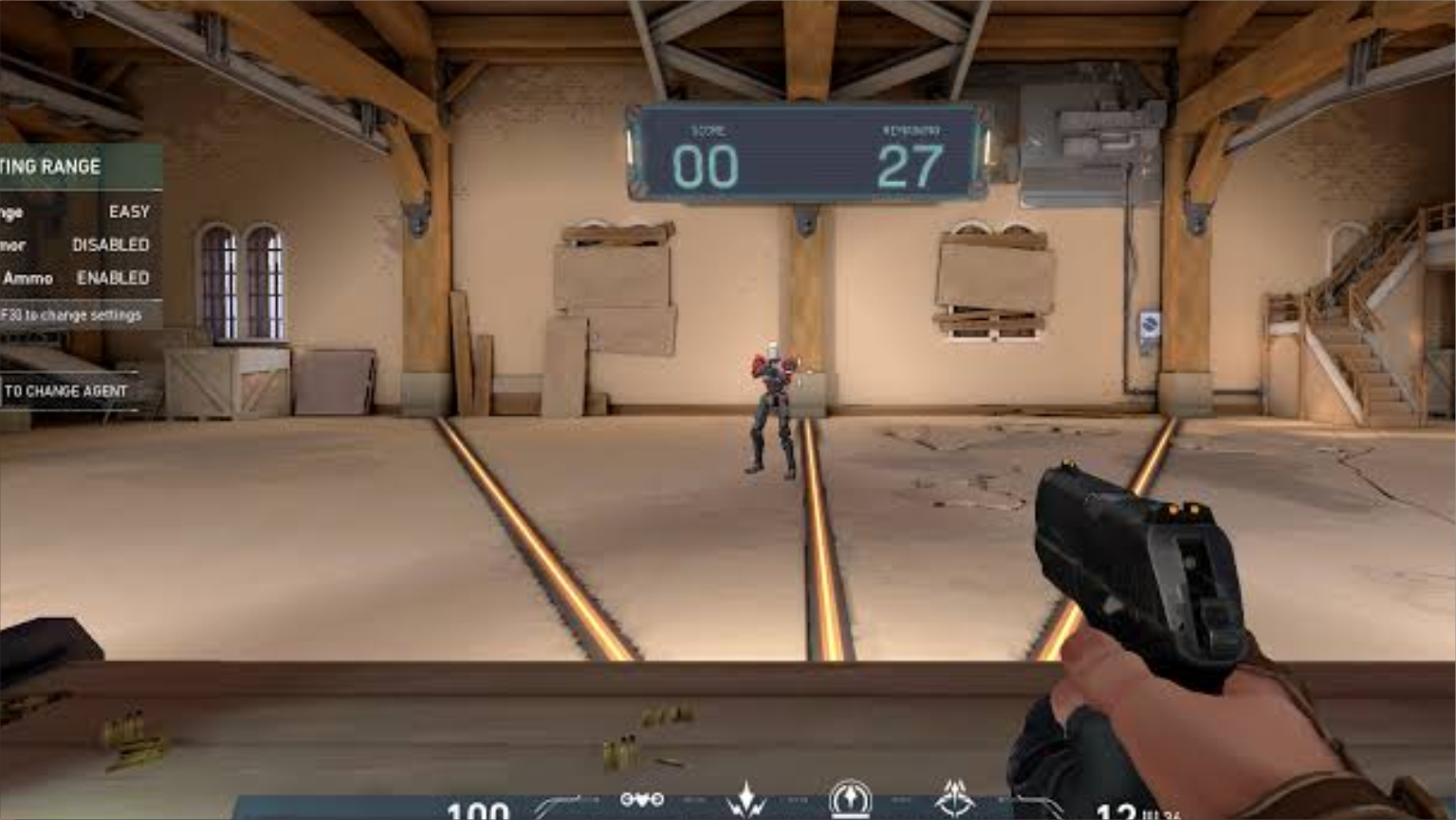
Ascending from Diamond to Radiant in Riot Games’ tactical shooter requires implementing mechanical Valorant pro aim hacks 2026. In a game defined by a 150ms time-to-kill and first-bullet headshot lethality, winning 1v1 duels is not merely about raw reaction time; it is dictated by sensor polling math, crosshair sub-pixel alignment, and deliberate motor memory conditioning.
Casual players frequently blame “bad hit registration” or “peekers’ advantage,” yet their hardware configurations suffer from mouse sensor pixel skipping, improperly configured Windows raw input buffers, and erratic mouse pad friction. In this breakdown, we deconstruct the exact mechanical hacks and sensor calibration formulas utilized by VCT Champions professionals.
Quick Navigation: Table of Contents
1) The 1600 DPI Revolution: Why Pros Are Leaving 400 & 800 DPI Behind
2) RawInputBuffer: Eliminating Windows Hook Latency
3) Crosshair Placement Geometry: The 90-Degree Corner Pre-Aim Math
4) Micro-Adjustment vs Flicking: Target Switching Physics
5) Daily 15-Minute Radiant Warmup Routine (The Range & Deathmatch)
6) Pro Crosshair Profiles & High-Contrast Color Codes
7) Frequently Asked Questions (FAQs)
The 1600 DPI Revolution: Lowering Click-to-Photon Input Latency
For years, tactical FPS veterans clung to 400 and 800 DPI settings inherited from old CS 1.6 ball mice. However, high-speed camera oscilloscope testing has proven that 1600 DPI (and 3200 DPI) initiates sensor tracking motion up to 3.5 milliseconds faster than 400 DPI:
| Hardware Mouse DPI | In-Game Sensitivity | Effective DPI (eDPI) | First-Motion Sensor Latency | Sub-Pixel Precision |
|---|---|---|---|---|
| 400 DPI | 0.70 | 280 eDPI | ~5.8 ms | Prone to pixel skipping at high FOV |
| 800 DPI | 0.35 | 280 eDPI | ~3.2 ms | Standard balanced benchmark |
| 1600 DPI (Sweet Spot) | 0.175 | 280 eDPI | ~1.8 ms (Fastest) | Silky sub-pixel micro-corrections |
| 3200 DPI | 0.0875 | 280 eDPI | ~1.6 ms | Sensitive to desk vibrations |
Pro Hack: Doubling your DPI from 800 to 1600 while halving your in-game sensitivity preserves your exact muscle memory distance per 360-degree rotation while significantly cutting sensor initiation latency!
Enable RawInputBuffer to Bypass Windows Hook Delays
In Valorant → Settings → General → Mouse, locate the toggle for RawInputBuffer. Enabling this setting allows Valorant’s engine to query raw mouse coordinate packets directly from the hardware driver via DirectInput APIs, bypassing Windows OS desktop message pumps.
This setting is mandatory if you use an 8,000Hz (8K) polling rate gaming mouse (such as the Razer Viper V3 Pro or Logitech G Pro X Superlight 2), as standard Windows hooks drop polling packets under 4K/8K loads, resulting in micro-stutters during rapid flicks.
Crosshair Placement Geometry: The 90-Degree Angle Hack
Radiant aimers rarely execute dramatic 180-degree highlight-reel flicks because their crosshair is already pre-aligned with millimeter precision before peeling an angle:
- Clear Angles Consecutively (“Slicing the Pie”): Never swing wide into an open site exposing multiple sightlines. Peel corners in tight, 15-degree increments using purely
AandDcounter-strafing keys. - Map Texture Headshot Guides: Riot’s map art teams intentionally align environmental props at standing headshot level. On Ascent, Bind, and Haven, horizontal wall stripes, box edges, and doorway midpoints indicate exact head height across flat ground.
- Dynamic Crosshair Offsets: When holding an angle against an enemy expected to wide-swing (such as a dashing Jett or satchel-flying Raze), hold your crosshair half a character model width away from the wall to compensate for your 180ms human reaction time.
Frequently Asked Questions (FAQs)
What is the average eDPI among VCT pro players?
The vast majority of professional Valorant players operate within an eDPI window of 200 to 320 eDPI (e.g., 0.25 to 0.40 at 800 DPI). Low sensitivity guarantees consistent crosshair stabilization during micro-adjustments.
Is mouse acceleration ever good in Valorant?
Windows “Enhance Pointer Precision” should always be disabled. However, linear custom acceleration curves configured through dedicated tools like Raw Accel can benefit low-sens wrist aimers who need to perform quick 180-degree checks without losing precision at low speeds.
What is the best crosshair color in 2026?
Cyan (Hex: #00FFFF) and Yellow (Hex: #FFFF00) provide the highest visual contrast against dark backgrounds and map geometry on Abyss, Sunset, and Lotus.
🔥Year-Round Gaming Hub: Top 5 Evergreen Master Guides & Listicles
Looking to maximize your hardware performance, dominate competitive lobbies, or upgrade your gaming rig? Explore our most popular evergreen master resources below:
- Windows 11 Gaming Hacks: 7 Hidden Registry Tweaks for Zero Latency (2026) – Tested frametime smoothing and input lag reduction
- October 2026 Video Game Releases Calendar & Buying Guide – Complete release schedule, platforms, prices & retailers
- Best Used GPU Tier List Under $200 for 1080p Gaming – Top graphics cards on eBay with benchmarks and VRAM rankings
- PS5 & PS5 Pro Performance Optimization: 120Hz, VRR & Heatsinks – Teardown, thermal care and HDMI 2.1 display calibration
- Black Myth Wukong Boss Tier List: The Hardest Enemies Ranked – Full difficulty breakdown, dodge timings and secret mechanics
Related posts:
 Pro Gaming Aim Hacks: Zero-Latency Configs, Refresh Rates & Routines
 Valorant Episode 9 Act 3 Economy & Gunfight Math: Vandal vs Phantom TTK & Shield Buy Analysis (2026)
 Valorant 2027 Input Latency & Deadzoning Hacks: How Pros Achieve Zero Micro-Stutter and Pixel-Perfect Crosshairs
 Valorant Night Market October 2026: Dates, Rotation Schedule & Weapon Skins Tier List