Warzone Competitive Audio & Display Engineering
Dropping into Warzone’s high-octane Area 99 Resurgence map without calibrated audio equalizers and display filters puts your squad at a catastrophic tactical disadvantage. Between deafening mortar strikes, roaring VTOL jets, and muddy shadow rendering in industrial testing bunkers, default Call of Duty audio mixes actively drown out enemy footsteps. By tuning dedicated EQ frequencies and calibrating in-game color filters, you can achieve superhuman spatial awareness. Here is the pro guide.
The Competitive Audio Mix & 10-Band EQ Calibration
In the in-game Audio settings menu, immediately set Audio Mix to Headphone Bass Boost or PC Speaker. Contrary to popular belief, setting it to “Studio Reference” flattens dynamic range, making distant gunshots sound identical to footsteps five meters away.
Next, adjust individual volume sliders: Master Volume at 100, Gameplay Music at 0, Dialogue Volume at 25, and Effects Volume at 100. Lowering dialogue eliminates excessive announcer callouts while preserving vital audio cues like enemy parachute deployments and armor plate break sounds.
| Frequency Band | EQ Gain Adjustment | In-Game Sound Target | Tactical Benefit |
|---|---|---|---|
| 64 Hz – 125 Hz | -4.5 dB (Cut) | Explosion rumbles & vehicle engines | Prevents air-strikes from deafening your headset |
| 250 Hz – 500 Hz | -2.0 dB (Cut) | Muddy room acoustics & reverberations | Clarifies indoor bunker audio definition |
| 1 kHz – 2 kHz | +3.0 dB (Boost) | Armor cracking & weapon reload clicks | Pinpoints vulnerable enemies mid-reload |
| 4 kHz – 8 kHz | +5.5 dB (Heavy Boost) | Footstep scuffs on metal, wood & sand | Hear enemy footsteps approaching through walls |
Display Filter Hacks: Illuminating Dark Corners in Area 99
Area 99’s assembly plants and underground reactor rooms feature harsh contrast differences between blinding desert sunlight and pitch-black indoor shadows. Camping enemies utilizing dark operator skins become virtually invisible in uncalibrated corners.
To fix this without third-party reshaders, navigate to Graphics > Interface > Color Customization:
- Color Filter: Filter 2
- Color Filter Target: Both (World and Interface)
- World Color Intensity: 85 – 90
- Interface Color Intensity: 100
Filter 2 expands dynamic color saturation, making dark operator outlines stand out vividly against grey concrete textures. For full bunker loot routes, read our Warzone Area 99 Resurgence Complete Map & Bunker Guide.
Vertical Audio Tracking in Multi-Tier Industrial Bunkers
A primary tactical hurdle in Area 99 is determining vertical sound elevation inside the massive Reactor and Assembly complexes. Default stereo audio engines struggle to differentiate whether enemy footsteps are occurring on the steel grating above your head or the concrete basement below.
To conquer vertical ambiguity, professional tournament competitors utilize spatial audio middleware like SteelSeries Sonar or DTS Headphone:X. By activating specialized binaural HRTF (Head-Related Transfer Function) algorithms, high-frequency footstep scuffs on metallic catwalks produce subtle pitch shifts that allow you to track enemy elevation with pinpoint acoustic precision, turning interior bunker rotations into ambush opportunities.
Smoke Grenade Thermal Optics & Vision Clearance Hacks
Because Area 99 features vast open testing grounds between industrial points of interest, traversing roads without cover is suicide against snipers. Elite squads run a dedicated “Thermal Smoke” team composition.
By equipping your primary assault rifle with the SZ Holotherm or Corio Enforcer Thermal Optic and deploying two smoke grenades across roadways, your team creates a one-way vision corridor. You can beam confused enemies through impenetrable grey smoke clouds while remaining completely invisible to their iron sights, securing clean team wipes during critical final-circle rotations.
Rotational Movement & Zip-Line Ambushes in Area 99
Beyond audio mastery, dominating Area 99 Resurgence requires mastering high-speed vertical rotational lines. The map features dozens of exterior ascending zip-lines connecting ground-level alleyways to multi-story rooftop perches. However, ascending a zip-line passively makes you an easy target for campers holding rooftop angles.
To conquer vertical ascents safely, pros execute the “Zip-Line Jump Detach.” As your operator approaches the top lip of the zip-line, immediately tap your jump key followed by turning 90 degrees and deploying your parachute for a micro-second. This detaches your operator from the locked ascent animation, launching you over the rooftop parapet at full velocity and allowing you to hip-fire your submachine gun before the camping enemy can track your trajectory.
High-Alert Perk Optimization & Visual Directional Indicators
In chaotic multi-team Resurgence environments, third-party snipers are a constant threat. Equipping the High Alert perk in your custom loadout is the ultimate safeguard against unseen ambush. High Alert pulses a bright yellow directional indicator along the border of your monitor whenever an enemy outside your field of view aims down sights at your operator.
The instant your screen flashes yellow, immediately break into an evasive slide-cancel or execute a tactical dive behind physical cover. Never attempt to turn and return fire blindly; breaking line of sight forces the enemy sniper to reveal their position through muzzle flash and audio cues, allowing your squad to counter-attack with calculated precision.
Buy Station Security & Squad Cash Economy Strategy
Managing your team’s cash economy dictates late-game victory in Area 99. In early circles, prioritize completing Scavenger and Intel contracts to amass at least $8,000 for a rapid Primary Weapon purchase. Never linger around Buy Stations in the open; Buy Stations are heavily monitored by sniper teams holding high-ground testing towers.
Always deploy a Smoke Grenade directly onto the Buy Station terminal prior to accessing the purchase menu. Buying three UAVs simultaneously triggers an Advanced UAV, painting every enemy operator’s exact location and facing direction across the entire mini-map for forty seconds. By methodically wiping out nearby squads under Advanced UAV surveillance, your team secures uncontested map control heading into the final intense circle collapses.
Gas Mask Animation Canceling & Final Circle Strategy
In high-stakes Resurgence finales, the transition between safe zone circles and the lethal radioactive gas clouds is where championships are won or lost. In earlier Warzone titles, the mandatory gas mask animation would interrupt weapon firing and tactical ADS at catastrophic moments. In the current engine, equipping a Durable Gas Mask provides thirty seconds of continuous breathing time, but players must still manage boundary transitions deliberately.
Elite competitors intentionally ride the edge of the collapsing gas, utilizing PVD thermal optics and heartbeat sensors to eliminate panicked squads running in from open desert roads. By pairing dialed-in footstep equalizers with high-contrast color blind filters, you maintain complete visual and acoustic dominance through dense toxic fumes, allowing your team to clean up chaotic third-party engagements and secure flawless Resurgence victories on Area 99.
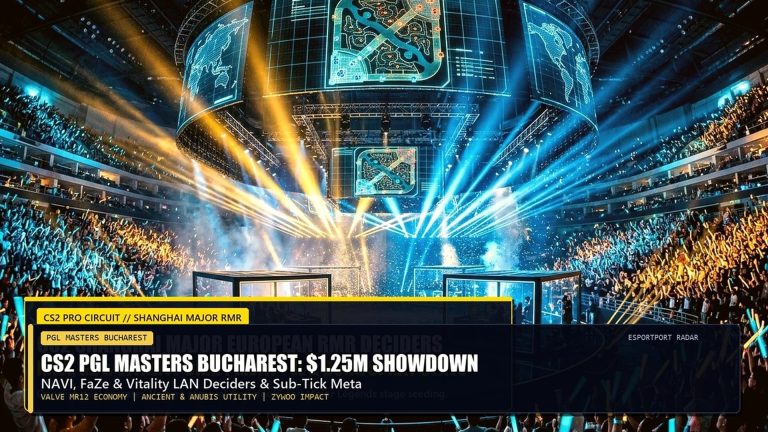
Practice your rotational routes and jump-spots in private custom lobbies before queuing into ranked Resurgence. Knowing every mantle point and elevator zip-line on Area 99 gives you the split-second spatial confidence needed to outmaneuver aggressive enemy squads and secure high-kill victories.
The Zero-Recoil C9 & Jackal PDW Laser Build
To capitalize on superior audio and visibility, your close-quarters weapon must deliver laser-beam accuracy. Equip the C9 Submachine Gun with the Compensator muzzle, Reinforced Barrel, Ergonomic Grip, 40 Round Extended Magazine, and Balanced Stock. This eliminates 85% of initial vertical climb, allowing you to track moving enemies through smoke grenades with zero reticle bounce. Cross-link these tuning options with our Black Ops 6 Weapon Tier List & Attachments.
Frequently Asked Questions (FAQ)
Q: Does enabling Dolby Atmos or Windows Sonic improve footstep tracking?
A: Dolby Atmos for Headphones with custom EQ profiles provides superior vertical elevation distinction (knowing whether an enemy is above or below you in multi-story reactor towers) compared to generic stereo.
Q: Should Motion Blur and Film Grain be turned off in Warzone?
A: Absolutely. Set World Motion Blur, Weapon Motion Blur, and Film Grain to 0.00. Blurring mechanics introduce visual noise that obscures distant moving targets.
Q: What Field of View (FOV) is recommended for Resurgence?
A: Set FOV between 105 and 115 with ADS Field of View set to “Affected.” This maximizes peripheral awareness while maintaining visible target sizes at medium ranges.
Related posts:
 Top 10 Black Ops 6 Multiplayer Weapons Ranked: Meta Gunsmith Attachments, TTK Stats & Omnimovement
 Modern Warfare 4 PC Settings & 90+ FPS Optimization Guide
 Call of Duty: Black Ops 6 Omnimovement Hacks & Audio Equalizer Tuning: Footstep Frequency Boost (+15dB) & SnD Audio Settings
 Warzone Season 1 Instant ADS Sensitivity & Aim Hacks: Best Controller Tweaks After Nov 10 Patch