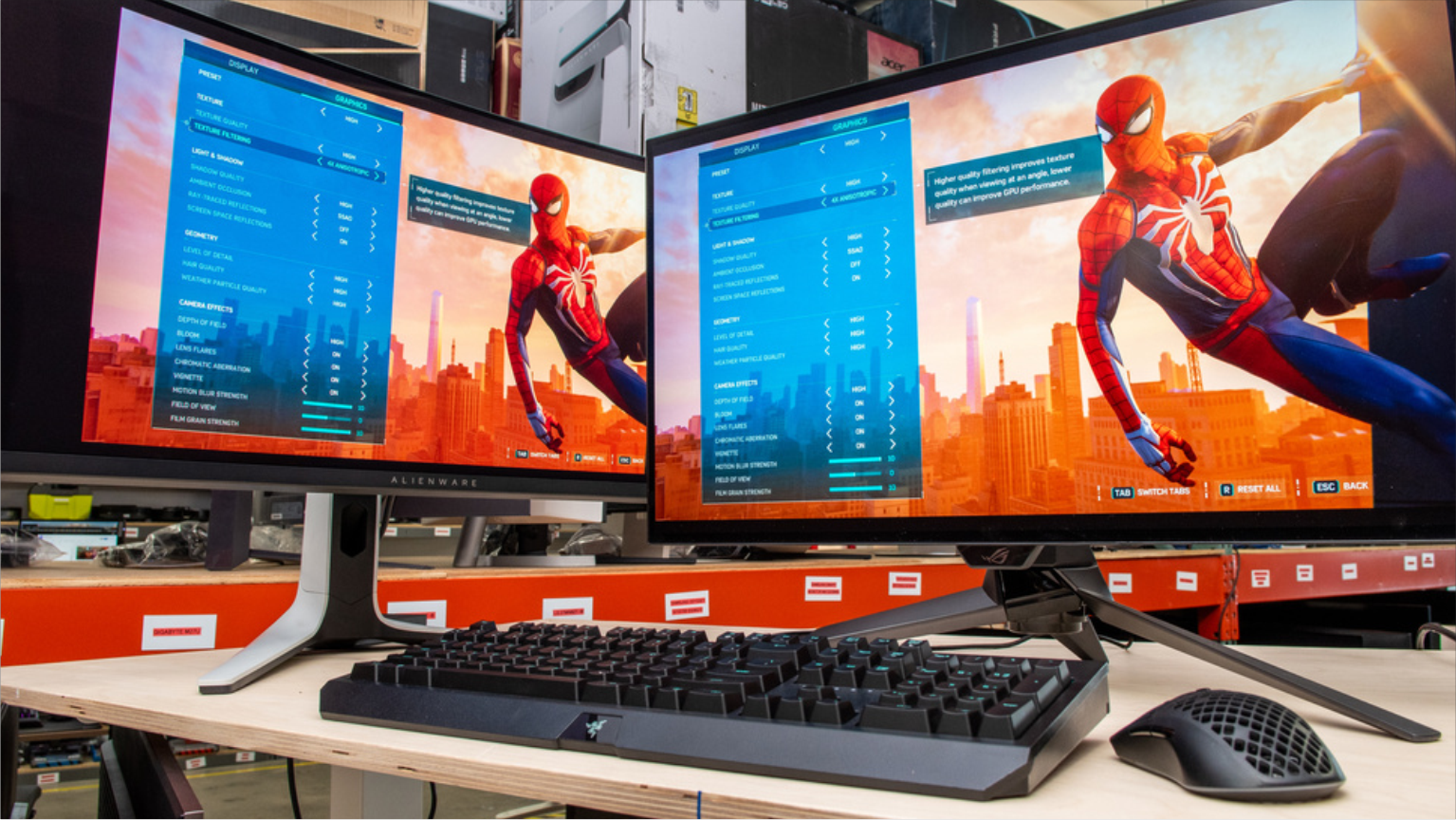
🖥️ 2026 DISPLAY HARDWARE BENCHMARK
Competitive esports refresh rates are no longer locked behind a $600 paywall! From 240Hz Fast IPS panels to true 1000-nit Mini-LED contrast, here are the top-rated 1440p monitors under $300 tested and ranked.
⚡ Refresh Rate: Up to 260Hz | 🎯 Resolution: 2560 x 1440 (QHD) | 💵 Price Cap: Under $300 USD
Finding the best budget gaming monitors 2026 has become the ultimate upgrade for competitive PC and console gamers. Thanks to breakthroughs in panel manufacturing, high-density 1440p resolution and blazing 240Hz refresh rates have plummeted in price, rendering 1080p displays obsolete for serious players.
Whether you are tracking heads in Counter-Strike 2 and VALORANT or exploring graphically stunning ray-traced worlds like Cyberpunk 2077, modern displays under $300 deliver pristine pixel clarity without motion blur. For panel latency tests and colorimeter measurements, review the DisplayNinja technical hardware index.
Below is our front-loaded benchmark audit — ranking the five best budget displays, comparing real pixel response times, and assessing HDMI 2.1 console support.
📊 Top 5 Budget 1440p Gaming Monitors: Comparison Sheet
| Monitor Model | Screen Size & Panel | Resolution & Refresh Rate | Peak Brightness / HDR | Retail Price (USD) | Best Use Case |
|---|---|---|---|---|---|
| Gigabyte M27Q X | 27-inch Fast IPS | 1440p @ 240Hz | 400 nits (DisplayHDR 400) | $279 USD | Best Overall: Integrated KVM switch and lightning 1ms response. |
| AOC Q27G3XMN | 27-inch Mini-LED VA | 1440p @ 180Hz | 1000 nits (True HDR 1000) | $279 USD | Best HDR & Contrast: 336 local dimming zones for deep blacks. |
| LG UltraGear 27GR83Q-B | 27-inch Fast IPS | 1440p @ 240Hz | 400 nits (HDMI 2.1) | $299 USD | Best for Esports & PS5: Full 48Gbps HDMI 2.1 bandwidth for 120Hz console gaming. |
| Asus TUF VG27AQML1A | 27-inch Fast IPS | 1440p @ 260Hz (OC) | 400 nits (ELMB-Sync) | $289 USD | Best Motion Clarity: Backlight strobing runs simultaneously with VRR. |
| Dell G2724D | 27-inch Fast IPS | 1440p @ 165Hz | 400 nits (sRGB 99%) | $199 USD | Best Value Under $200: Factory-calibrated colors and rock-solid ergonomic stand. |
🏆 1. Gigabyte M27Q X — The Undisputed 240Hz King ($279)
The Gigabyte M27Q X remains our top overall recommendation for PC gamers seeking elite competitive performance under $300:
- True 240Hz Fast IPS: Native 240Hz refresh rate delivers sub-3ms real-world grey-to-grey transition times with zero overshoot ghosting.
- Built-in KVM Switch: A dedicated physical button lets you share one keyboard and mouse between your gaming PC and work laptop seamlessly.
- Color Accuracy: Delivers 92% DCI-P3 wide color gamut coverage, making it suitable for video editing and content creation alongside gaming.
👉 Related Read on EsportPort
Building the ultimate setup? Check our Top 5 Most Demanding PC Games & GPU Benchmarks →
🌟 2. AOC Q27G3XMN — Real Mini-LED HDR Under $300 ($279)
Most monitors under $300 feature fake “HDR 400” that merely increases screen brightness without improving contrast. The AOC Q27G3XMN shatters expectations:
- 336 Mini-LED Dimming Zones: By dimming backlight clusters independently, it produces ink-like black levels and eliminates IPS glow.
- 1000 Nits Peak Brightness: Highlights in explosions, sun glare, and spell effects pop with staggering intensity in HDR games.
- VA Viewing Angles: While viewing angles are narrower than IPS displays, sitting directly in front yields an extraordinary 4000:1 native contrast ratio.
🎮 3. LG UltraGear 27GR83Q-B — The Console & PC Hybrid ($299)
If you switch between a high-end gaming rig and a PlayStation 5 or Xbox Series X, the LG 27GR83Q-B is the premier pick:
- Full HDMI 2.1 Bandwidth: Unlike budget rivals that skimp on HDMI ports, this display supports uncompressed 1440p 120Hz Variable Refresh Rate (VRR) directly from current-generation consoles.
- Ultra-Low Input Lag: Measures under 2.5 milliseconds of total display latency, providing instantaneous crosshair tracking during high-pressure clutch situations.
💡 Buyer’s Guide: 3 Rules Before Purchasing
- Prioritize 1440p Over 4K Under $300: At a 27-inch screen size, 1440p offers 109 pixels per inch (PPI) — the sweet spot where text is sharp and modern mid-range GPUs (RTX 4070 / RX 7800 XT) can comfortably sustain 140+ FPS.
- Check for Height-Adjustable Ergonomics: The Dell G2724D and Asus VG27AQML1A include fully articulated stands (tilt, swivel, pivot). Budget panels often cut costs by using fixed tilt-only plastic bases.
- Avoid Cheap VA Panels for Fast Shooters: Unless you buy the specialized Mini-LED AOC panel, cheap traditional VA displays suffer from “dark level smearing” when fast-moving black objects streak across light backgrounds.
📖 ALSO READ ON ESPORTPORT
-
- iPhone 16 Pro Max vs Samsung Galaxy S24 Ultra: Cameras, Gaming & Specs
- PS5 Pro Specs, Price and Deals Guide: Is Sony’s $700 Console Worth Buying?
- Cheapest Country to Buy Nintendo Switch 2: Global Price Comparison and Japan Guide
- PS5 Pro Specs, Price Debate and Deals: Full Hardware Analysis and Best Ways to Save