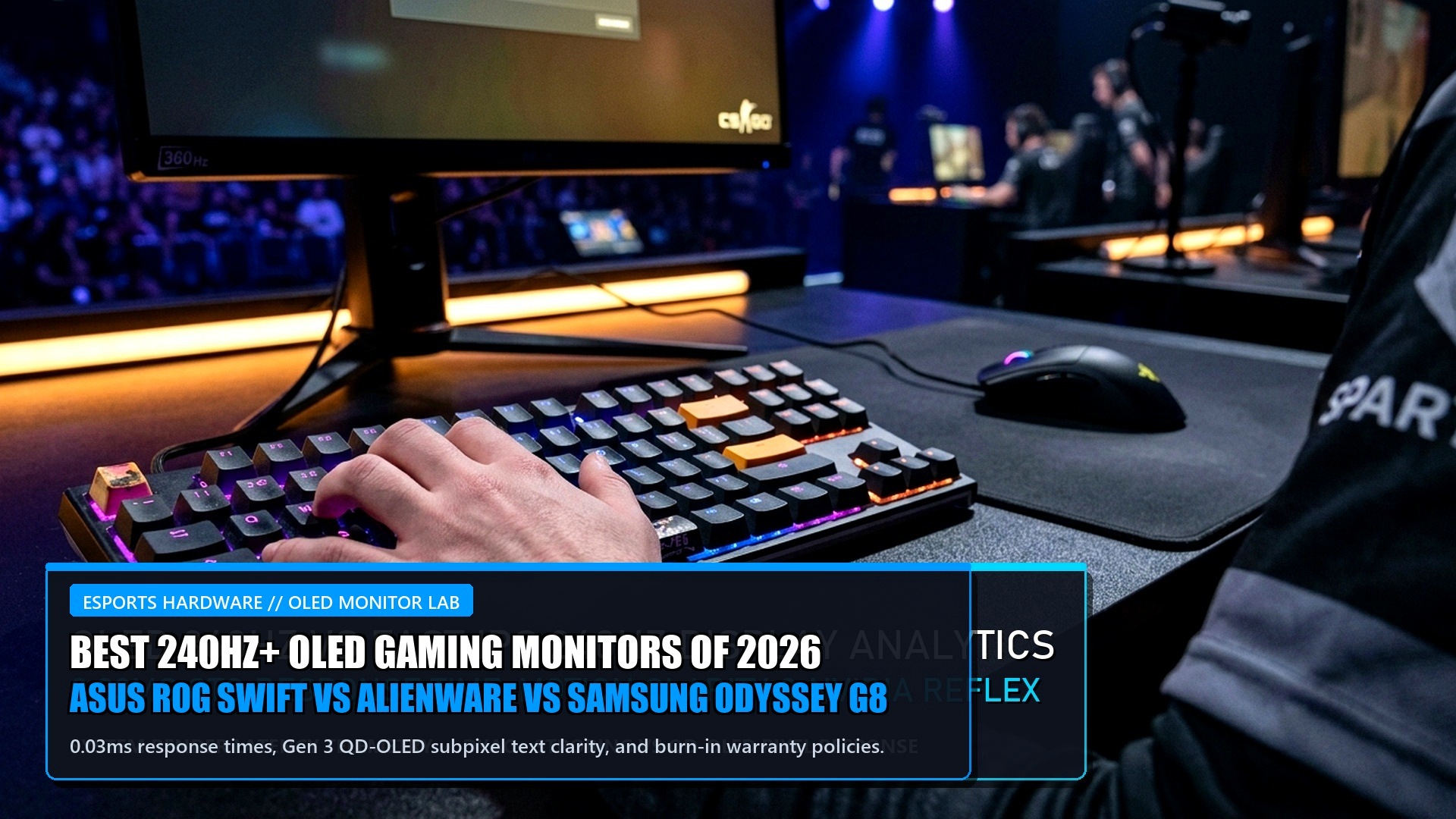
Competitive gamers striving to push their mechanical ceilings and achieve peak visual clarity are investing in generational hardware innovations heading into 2026. Anchored by the explosive adoption of 240Hz and 360Hz QD-OLED gaming monitors, magnetic Hall Effect rapid-trigger keyboards, and ultra-lightweight 8000Hz polling rate mice, the esports hardware meta has evolved dramatically. Just as we explored in our breakdown of Black Ops 6 CDL pro tournament weapon tuning and LAN setups, shaving milliseconds off input latency and eliminating pixel response motion blur delivers a transformative tactical edge in competitive first-person shooters.
For years, competitive esports athletes favored high-refresh-rate TN or Fast-IPS panels due to their raw speed, accepting washed-out contrast and poor viewing angles as necessary compromises. However, third-generation OLED panel technology has fundamentally upended the display market, delivering instantaneous 0.03ms pixel response times with infinite contrast ratios and zero ghosting. When paired with Hall Effect keyboards offering customizable actuation points down to 0.1mm, players can execute instant counter-strafes and camera snaps with clinical precision.
The OLED Display Revolution: Why 240Hz OLED Outperforms 360Hz IPS
In competitive titles like Counter-Strike 2, Valorant, and Call of Duty, motion clarity is paramount. On conventional LCD panels, liquid crystals require several milliseconds to shift color states, generating noticeable trailing artifacts behind fast-moving enemy models. In contrast, OLED pixels emit their own light and change states in 0.03 milliseconds—nearly one hundred times faster than the fastest IPS monitors.
Because pixel response is near-instantaneous, a 240Hz OLED display produces superior dynamic motion clarity compared to a 360Hz or even 540Hz LCD panel. Fast-moving character silhouettes remain tack-sharp during rapid 180-degree camera turns, allowing snipers and entry fraggers to acquire targets instantly. Furthermore, OLED’s true per-pixel black levels ensure that enemies lurking in dimly lit corridors or shadow-heavy map geometry stand out with razor-sharp contrast.
| Hardware Component | Pro-Tier Recommendation | Key Technical Specification | Esports Competitive Advantage | Price / Value Tier |
|---|---|---|---|---|
| OLED Gaming Monitor | ASUS ROG Swift PG27AQDM | 27″ 1440p, 240Hz OLED, 0.03ms | Zero motion blur, instant pixel transitions | Premium ($799 – $899) |
| OLED Gaming Monitor | MSI MAG 271QPX QD-OLED | 27″ 1440p, 360Hz QD-OLED, 0.03ms | Maximum motion fluidity for tier-1 FPS | Elite ($749 – $829) |
| Rapid Trigger Keyboard | Wooting 60HE+ / 80HE | Gateron Magnetic Hall Effect Switches | 0.1mm actuation, true Rapid Trigger SOCD | Benchmark ($175 – $199) |
| Rapid Trigger Keyboard | Razer Huntsman V3 Pro TKL | Analog Optical Gen-2 Switches | Adjustable 0.1-4.0mm actuation, Rapid Mode | Mainstream ($219) |
| Ultra-Lightweight Mouse | Logitech G Pro X Superlight 2 | 60g Weight, HERO 2 Sensor, 4000Hz | Zero drag, flawless tracking consistency | Tournament ($149) |
| Ultra-Lightweight Mouse | Razer Viper V3 Pro | 54g Weight, Focus Pro 35K, 8000Hz | Lowest click latency, wireless 8K polling | Flagship ($159) |
Rapid Trigger and Hall Effect Keyboards: Mastering Counter-Strafing
Traditional mechanical switches rely on physical metal leaf contacts, requiring a fixed reset point before a key can be pressed again. Magnetic Hall Effect switches, however, utilize magnetic sensors to continuously measure the exact distance of the key stem throughout its entire travel path.
With Rapid Trigger technology enabled, the switch deactivates the millisecond you begin releasing upward pressure, and reactivates the moment you push down again—regardless of where the key is in its physical travel. In tactical shooters like CS2 and Valorant, this enables near-instantaneous counter-strafing, stopping your character’s momentum immediately and granting perfect first-shot bullet accuracy fractions of a second faster than opponents on traditional mechanical boards.
Mouse DPI Calibration: Debunking the High-DPI Myth
A common mistake among developing players is cranking mouse DPI up to 16,000 or 32,000 under the assumption that higher numbers equal greater precision. While modern optical sensors can track at astronomical DPI levels, excessively high DPI amplifies micro-hand tremors and surface imperfections, causing erratic crosshair jitter. Professional esports athletes universally calibrate their mice between 800 DPI and 1600 DPI, pairing this with 1000Hz or 4000Hz polling rates for optimal tracking stability and low input latency.
Common Hardware Mistakes and Upgrading Traps
Many players invest heavily in cutting-edge peripherals while ignoring basic software and operating system configurations. The most frequent blunder is running an 8000Hz polling rate mouse on an outdated quad-core processor; high polling rates generate thousands of hardware interrupts per second, which can cause severe CPU bottlenecks and in-game micro-stutters. Ensure your system features at least an eight-core modern CPU (such as an AMD Ryzen 7 7800X3D or Intel Core i7-14700K) before enabling 4K or 8K polling.
Another major mistake is neglecting OLED care protocols. Leaving static desktop icons, bright browser windows, and unhidden Windows taskbars on OLED displays for extended periods accelerates panel burn-in. Always enable pixel shift, set Windows taskbar to auto-hide, and configure screensavers to activate after three minutes of inactivity to preserve your monitor’s lifespan.
Audio Hardware: DACs, Open-Back Headphones, and Soundstage Imaging
While visual clarity is vital, acoustic precision is equally transformative in competitive first-person shooters. Many aspiring esports competitors rely on standard ‘gaming’ headsets equipped with artificial 7.1 virtual surround sound algorithms that heavily distort audio frequencies, muddying critical subtle cues like distant footstep shuffles or reload clicks beneath exaggerated bass boosts. Professional tournament athletes and audio engineers universally advocate for dedicated high-fidelity stereo audio chains.

Pairing audiophile-grade open-back headphones (such as the Sennheiser HD 560S or Beyerdynamic DT 900 Pro X) with a dedicated digital-to-analog converter (DAC) and headphone amplifier creates a vast, natural soundstage. Open-back earcups allow sound waves to breathe naturally, enabling pin-point spatial imaging that lets players pinpoint exact enemy coordinates—whether an opponent is walking on metal rafters above or planting a bomb behind thin drywall—with photographic precision.
Cable Management and Mouse Bungee Setup for Frictionless Swipes
Even in an era dominated by wireless gaming mice, cable management remains a critical concern for competitive players who prefer wired tournament peripherals or who frequently charge devices during extended practice sessions. A dragging, snagging USB cable introduces uneven mechanical resistance, pulling on your mouse during low-sensitivity arm swipes and causing inconsistent crosshair tracking.
To eliminate cable drag entirely, investing in a flexible silicone-arm mouse bungee elevates the cable above the mousepad surface, simulating a wireless feel without the risk of battery depletion. Ensure the cable slack between the bungee tip and mouse allows full edge-to-edge mousepad sweeps without creating tension or excessive loop drooping. When paired with a premium artisan glass or hybrid cloth mousepad, your tracking movements achieve frictionless glide consistency.
Keyboard Polling Latency vs Switch Debounce Algorithms
Traditional mechanical keyboards utilize hardware debounce algorithms—typically adding 5 to 15 milliseconds of artificial delay—to prevent electrical noise from registering phantom double-clicks. In contrast, Hall Effect magnetic switches operate entirely without physical electrical contacts, eliminating the necessity for debounce delays completely.
By processing key presses through continuous analog Hall sensors, input latency drops to sub-millisecond territory. When paired with high-performance 8000Hz USB polling microcontrollers, magnetic keyboards transmit actuation commands to the operating system the exact microsecond physical movement occurs, giving competitive players unmatched mechanical responsiveness during high-speed movement maneuvers and weapon swaps.
When selecting gaming peripherals, build quality and firmware stability are just as important as raw paper specifications. High-end magnetic keyboards that feature aluminum top plates and pre-lubricated switch stems provide solid acoustic feedback and eliminate switch wobble during aggressive counter-strafing maneuvers.

Similarly, premium gaming mice with PTFE or glass skates ensure smooth, effortless glide across modern hybrid mousepads. Keeping your mouse sensor lens clean using compressed air prevents microscopic dust fibers from causing sensor spinouts during sudden 180-degree flick shots.
Investing in reliable hardware peripherals and calibrating sensor polling frequencies eliminates microscopic tracking inconsistencies, ensuring your mechanical aim transfers seamlessly to tournament victories on the esports stage.
Frequently Asked Questions
Is a 240Hz OLED monitor better than a 360Hz IPS monitor?
Yes, due to OLED’s near-instantaneous 0.03ms pixel response times, a 240Hz OLED delivers superior dynamic motion clarity and eliminates ghosting compared to 360Hz IPS displays.
What does Rapid Trigger do on a gaming keyboard?
Rapid Trigger resets the key switch the instant your finger begins releasing upward motion, allowing instant counter-strafing and rapid key spamming without waiting for a fixed reset point.
What is the best mouse DPI for competitive shooters?
Most esports professionals use 800 or 1600 DPI. This provides low sensor latency while eliminating crosshair jitter caused by microscopic hand tremors.
Can 8000Hz polling rate cause game lag?
Yes, 8000Hz polling places heavy demands on your CPU. If your processor lacks sufficient single-core performance, it can cause frame drops and micro-stutters during rapid mouse movements.
Related posts:
 Tuesday Redeem Codes Mega Hub: Genshin Impact, Honkai Star Rail & Roblox Active Codes
 Free Fire & Call of Duty Mobile Tuesday Redeem Codes: Free Weapon Skins, Diamonds & CP Drops
 GTA 6 PS5 Pro vs Base Console Optimization: 60 FPS Graphic Settings, Ray Tracing & Common Mistakes
 LoL Worlds 2026 Knockout Quarterfinals Tactical Dossier: Fearless Draft Meta, Bracket Odds & Champion Depth