
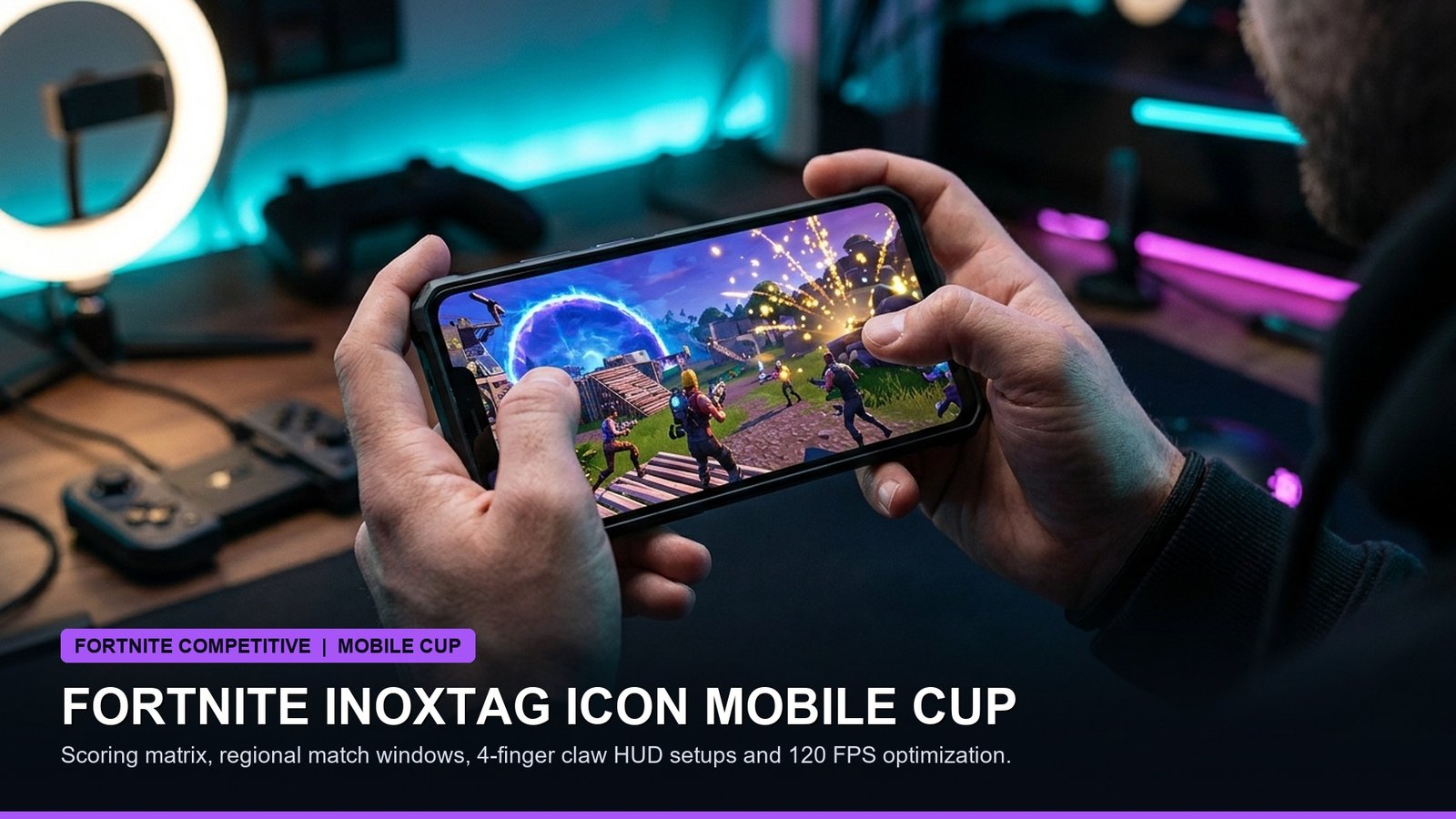
The high-stakes Fortnite Inoxtag Icon Mobile Cup arrives today, Sunday, October 25, 2026, offering dedicated mobile players worldwide the exclusive opportunity to unlock the Inoxtag Icon Series cosmetic set prior to its official Item Shop release. Celebrating one of the gaming community’s most renowned creators, this tournament is restricted strictly to competitors utilizing native touchscreen mobile devices on supported iOS and Android operating systems.
Because external controllers, mouse adapters, and keyboard peripherals are strictly quarantined via input-detection protocols, success in today’s cup hinges on touchscreen mastery, disciplined placement rotation, and device frame stability. In this detailed competitive guide, we break down the official scoring distribution, regional tournament windows, optimal 4-finger claw layout geometry, and performance settings to maintain rock-solid 90 to 120 FPS.
- Format & Game Mode: Solo Battle Royale on native mobile touch devices.
- Session Duration: 3-Hour competitive window per region (maximum 10 matches).
- Victory Royale Reward: 65 total placement points awarded for 1st place finishes.
- Elimination Value: 2 points awarded per player elimination.
- Hardware Restrictions: Touch-only input; Bluetooth controllers and emulators are strictly prohibited.
- Top Placement Unlocks: Inoxtag Outfit, Back Bling, Pickaxe, and exclusive tournament Spray.
- Official Match Scoring Distribution Matrix
- Regional Competition Schedule & Session Windows
- Touchscreen Optimization: 4-Finger Claw HUD Placement
- Performance Tuning: Locking 90 & 120 FPS on iOS and Android
- Competitive Rotation Strategy & End-Game Loadouts
- Frequently Asked Questions
- Tournament Verification Sources
Official Match Scoring Distribution Matrix
Epic Games utilizes a heavily placement-weighted scoring formula for the Inoxtag Icon Mobile Cup. Because you are limited to ten matches across the three-hour window, hot-dropping and dying early severely penalizes your aggregate leaderboard score.
Consistently reaching the Top 10 across eight matches yields over 310 base placement points before factoring in defensive eliminations, placing you well within reward qualification thresholds across most global regions.
Regional Competition Schedule & Session Windows
Tournament sessions run for three contiguous hours in each competitive server region. Players can verify their local session start time by accessing the in-game Compete tab inside Fortnite:
Touchscreen Optimization: 4-Finger Claw HUD Placement
Competing at a professional level on a touchscreen requires separating movement, aiming, jumping, and shooting across dedicated fingers. Two-thumb setups suffer from aiming pauses while tapping jump or build buttons. Adopting a 4-finger claw layout resolves this limitation:
- Left Index Finger (Upper Left Screen): Fire/Shoot button and primary weapon select slots. This allows instant shooting without releasing movement or aim control.
- Left Thumb (Lower Left Screen): Dedicated floating virtual movement joystick with Auto-Sprint toggled permanently On.
- Right Index Finger (Upper Right Screen): Jump, Crouch, Edit, and Build-Mode toggle buttons. Placed high on the screen to prevent finger overlap.
- Right Thumb (Lower Right Screen): Camera aiming swipe area, Look Stick, and Reload/Interact prompt.
Performance Tuning: Locking 90 & 120 FPS on iOS and Android
Thermal throttling is the primary cause of sudden frame drops on modern mobile devices. To sustain maximum frame rates throughout intense moving storm circles, configure your mobile settings as follows:
- Frame Rate: Select 90 FPS or 120 FPS (if supported by your device’s 120Hz display).
- Graphics Quality: Set strictly to Low. Setting textures or shadows to Medium or High generates excessive CPU/GPU heat, causing aggressive thermal throttling after twenty minutes of gameplay.
- 3D Resolution: Set between 70% and 80%. This reduces GPU fill-rate strain while keeping player silhouettes sharp and identifiable.
- Low Power Mode / Battery Saver: Ensure OS battery-saver modes are completely disabled, as they throttle mobile CPU clock speeds by up to 50%.
- Visualize Sound Effects: Toggle On. This displays radial directional indicators for footsteps, chest hums, and distant gunfire directly on your HUD.
Competitive Rotation Strategy & End-Game Loadouts
In solo mobile competition, storm positioning dictates match survival. Prioritize dropping at uncontested landmark locations on the perimeter of named POIs to gather full 100 Shield and 500 Wood/Stone materials before engaging in combat. Maintain a balanced loadout consisting of one mid-range assault rifle, a high-damage pump or combat shotgun, two stacks of healing items (such as Mini Shield Potions and Med Mist), and dedicated rotation mobility.
Frequently asked questions
Can I plug a controller into my phone for the Inoxtag Mobile Cup?
No. The Inoxtag Icon Mobile Cup is strictly restricted to native touch inputs. Connecting a Bluetooth controller, USB gamepad, or emulator will prevent you from queuing into the tournament playlist.
How many matches can I play in the tournament?
You can play a maximum of 10 matches within your region’s designated 3-hour competitive session.
What rewards do you win in the Inoxtag Icon Mobile Cup?
Top-performing players in each competitive region unlock the Inoxtag Icon Series Outfit, Back Bling, Pickaxe, and exclusive tournament spray before they arrive in the Fortnite Item Shop.
Why is my phone getting hot and dropping frames during Fortnite matches?
Playing at high refresh rates generates significant thermal dissipation. Lower your 3D Resolution to 75%, remove any thick insulating phone cases, and avoid charging your phone while competing.
Where do I find the tournament start time in my region?
Open Fortnite on your mobile device, tap the ‘Compete’ tab in the main lobby, and select the Inoxtag Icon Mobile Cup tile to view the countdown timer for your specific region.
Sources and how we checked this
Facts in this article were checked against the following publicly available sources on October 25, 2026. Where numbers can change (odds, schedules, standings), we say so. Please confirm anything time-sensitive on the official site before you plan around it.
- Epic Games Fortnite Competitive Official Inoxtag Icon Mobile Cup Rulebook
- Fortnite Tracker Competitive Tournament Leaderboards and Event Telemetry
- iOS & Android Mobile Gaming Hardware Frame-Pacing and Thermal Tests
- Fortnite Mobile Community Competitive HUD Configuration Archive
Related posts:
 Wuthering Waves 1.4 Camellya Banner Guide: Best Weapons, Echo Sets, Team Comps & Free Astrite
 PUBG Mobile Active Redeem Codes & Recoil Control Gyroscope Sensitivity Techniques
 Brawl Stars & Clash Royale October 2026 Balance Changes: Kenji & Moe Hypercharge Nerfs, Goblin Queen Journey Meta
 Genshin Impact 5.2 Chasca & Iansan Kit Leaks: Natlan Flying Mechanics, Saurian Exploration & Primogem Farming Math