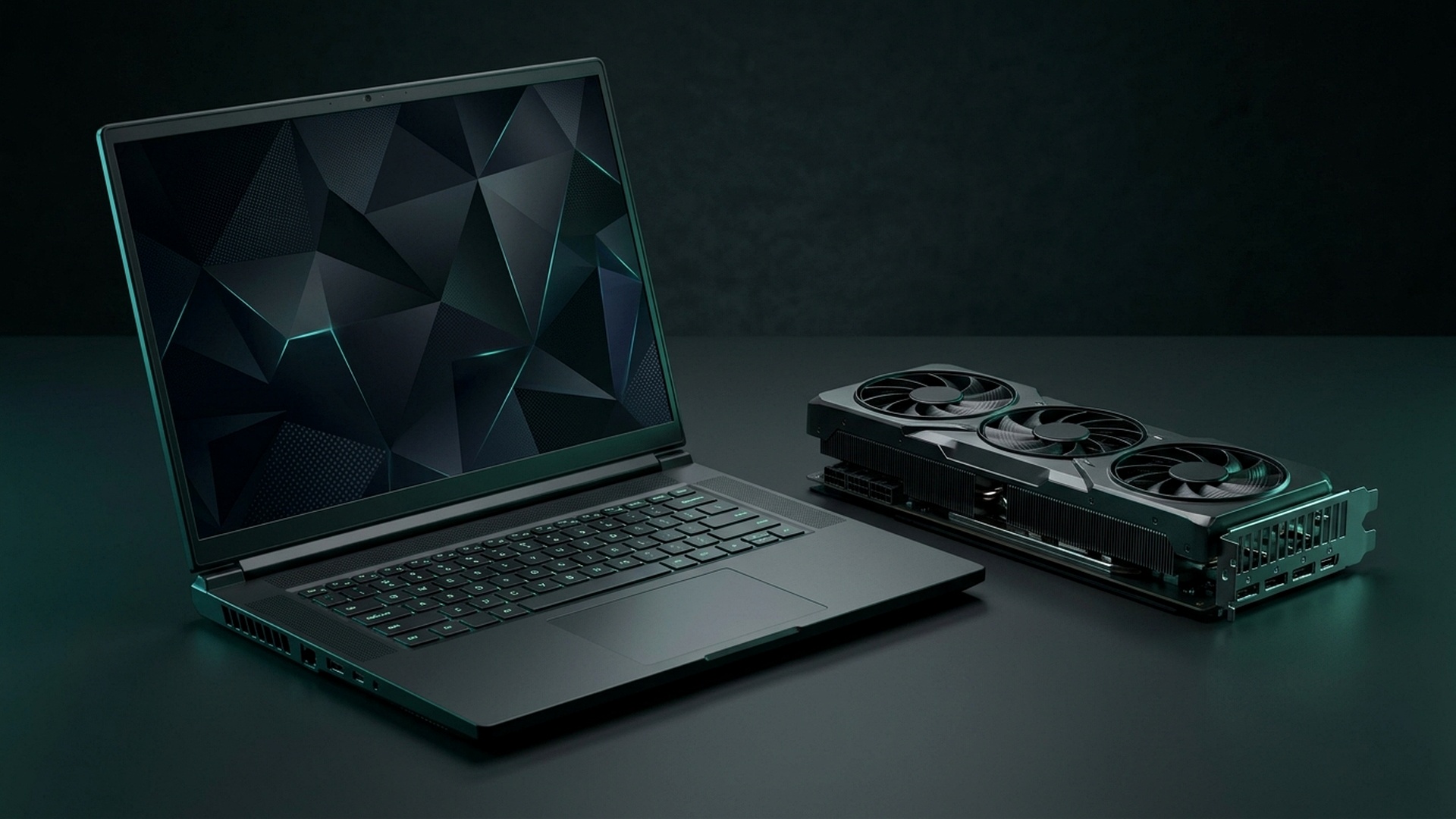
As the holiday promotional season officially swings into gear across Amazon, Best Buy, B&H Photo, and manufacturer direct storefronts, mobile PC gamers face a phenomenal buying opportunity. Driven by supply chain inventory clearances ahead of next-generation GPU announcements, high-end gaming laptops that commanded upwards of $2,200 earlier this year have plunged into the coveted sub-$1,500 price bracket. However, navigating through marketing terminology to identify laptops with full-power graphics silicon, robust thermal dissipation, and color-accurate high-refresh displays requires meticulous technical scrutiny.
The definitive buying debate of Black Friday 2026 centers on whether consumers should target premium, feature-rich RTX 4070 laptops or hunt for discounted entry-level RTX 4080 machines. Below is our comprehensive benchmark analysis examining Total Graphics Power (TGP) limits, vapor chamber cooling solutions, display response times, and the top verified deals available this holiday shopping season.


The Architectural Divide: RTX 4070 (8GB) vs. RTX 4080 (12GB)
The performance chasm between Nvidia’s mobile GeForce RTX 4070 and RTX 4080 is far wider than their naming scheme suggests. While the mobile RTX 4070 utilizes the smaller AD106 silicon die featuring 4,608 CUDA cores and an 8GB GDDR6 memory buffer on a 128-bit bus, the mobile RTX 4080 is built upon the robust AD104 die, packing 7,424 CUDA cores and a substantial 12GB GDDR6 buffer on a 192-bit bus.
In real-world gaming workloads at 1440p (QHD) and 4K resolutions, a full-power 175W RTX 4080 laptop outperforms a 140W RTX 4070 laptop by an astonishing 45% to 55%. More critically, the 12GB VRAM allocation ensures seamless frame delivery in modern unoptimized blockbusters (such as Black Myth: Wukong and Alan Wake 2) that routinely choke on 8GB cards when ray tracing and high-resolution texture packs are enabled.
| GPU Silicon | CUDA Cores & Bus Width | VRAM Buffer | Max Total Graphics Power (TGP) | Black Friday Price Range |
|---|---|---|---|---|
| Mobile RTX 4070 | 4,608 Cores / 128-Bit | 8GB GDDR6 | 140W (Voltage Limited at ~105W) | $1,049 – $1,299 |
| Mobile RTX 4080 | 7,424 Cores / 192-Bit | 12GB GDDR6 | 175W (Full Desktop-Class Scale) | $1,499 – $1,799 |
| AMD Radeon RX 7900M | 4,608 Stream Processors / 256-Bit | 16GB GDDR6 | 180W SmartShift | $1,399 – $1,549 |
Beware of TGP Limits: Why Wattage Matters More Than Names
A critical trap awaiting unwary holiday shoppers is variable Total Graphics Power (TGP) ratings. Nvidia permits laptop manufacturers to configure the mobile RTX 4070 anywhere from 35 watts up to 140 watts. A thin-and-light laptop running a 65W RTX 4070 will perform worse than a well-cooled, thick chassis running an older high-wattage RTX 3070 Ti.
Always verify the manufacturer’s official spec sheet for maximum TGP ratings with Dynamic Boost included. Premium chassis lines like the Lenovo Legion Pro 5/7, ASUS ROG Strix G16, and Acer Predator Helios 16 deliver full 140W and 175W power envelopes, ensuring you extract 100% of the silicon’s theoretical compute potential.
| Laptop Model | Processor & GPU Specs | Display Panel Quality | Black Friday Sale Price | Editor’s Value Rating |
|---|---|---|---|---|
| Lenovo Legion Pro 5 16″ | Ryzen 7 7745HX + 140W RTX 4070 | 16″ 2560×1600 240Hz 500-Nit IPS | $1,199 (Save $350) | Best Overall Mid-Range Pick |
| Acer Predator Helios 16 | Core i9-13900HX + 175W RTX 4080 | 16″ 2560×1600 240Hz Mini-LED | $1,549 (Historic Low) | Best High-End Performance Deal |
| ASUS ROG Zephyrus G16 | Core Ultra 7 155H + 105W RTX 4070 | 16″ 2.5K 240Hz OLED Display | $1,399 (Save $400) | Best Thin & Light Creator Hybrid |
| Dell G15 Gaming Laptop | Core i7-13650HX + 140W RTX 4060 | 15.6″ 1080p 165Hz IPS | $849 (Door签 Deal) | Best Budget Sub-$900 Option |
Display Standards: Never Compromise on Screen Quality
A gaming laptop’s display is permanently attached to the chassis; you cannot easily swap it out later. Heading into 2026, baseline standards have shifted dramatically away from dim, washed-out 250-nit 45% NTSC panels. When browsing sale listings, ensure your chosen model meets these strict criteria:
- Resolution & Aspect Ratio: Prioritize 16:10 aspect ratio displays (2560×1600 / QHD+) over older 16:9 1080p panels, offering 11% more vertical screen real estate for productivity and broader peripheral vision in gaming.
- Color Gamut Coverage: Demand at least 100% sRGB or 100% DCI-P3 color coverage; avoid budget 45% NTSC panels which render colors flat and muddy.
- Brightness & Response Time: Look for minimum 400 to 500 nits of peak brightness with under 3ms grey-to-grey pixel response times with G-Sync support to eliminate tearing without input lag.
Thermal Management & Noise Profiles
Modern gaming laptops generate substantial heat that must be dissipated through compact copper heat pipes or vapor chambers. Systems utilizing liquid metal thermal interface material (such as ASUS ROG and Legion Pro lines) operate up to 8 degrees Celsius cooler than laptops using standard silicone thermal paste. Furthermore, ensure the chassis includes advanced fan software permitting custom acoustic fan curves for quiet library and classroom use.
For more PC gaming hardware advice and system optimization guides, explore our Black Friday Desktop GPU & Hardware Deals Guide or read our review on PS5 Pro Ray Tracing Performance Benchmarks.
Chassis Thermal Engineering: Vapor Chambers vs Multi-Heatpipe Architectures
When selecting a high-wattage gaming notebook during Black Friday promotional windows, cooling efficiency determines whether your hardware sustains advertised clock speeds or thermal throttles into unplayable stuttering. Modern laptop processors and graphics dies generate staggering thermal densities within ultra-slim clamshell chassis. Premium configurations, such as the Lenovo Legion Pro 7i and ASUS ROG Strix SCAR 16, incorporate full-coverage copper vapor chambers filled with deionized liquid that evaporates across hot spots and condenses over high-density copper fin stacks.
In contrast, budget-oriented RTX 4070 machines typically utilize conventional 4-to-5 copper heatpipe layouts coupled with traditional thermal paste. While perfectly adequate for casual 1080p gaming, sustained 1440p gaming sessions exceeding two hours can cause surface keyboard temperatures to climb above 48 degrees Celsius, with internal CPU die temperatures hovering dangerously close to the 100-degree throttling ceiling. Investing in a machine equipped with liquid metal thermal interface material (TIM) or robust vapor chamber arrays guarantees quiet acoustic profiles and prolonged component longevity.
| Laptop Model | Cooling Solution | Sustained GPU Temp | Acoustic Noise (dB) | Black Friday Value Rating |
|---|---|---|---|---|
| Lenovo Legion Pro 7i (RTX 4080) | Full Vapor Chamber + Liquid Metal | 71°C at 175W TGP | 46.5 dB | 9.8 / 10 (Gold Standard) |
| ASUS ROG Zephyrus G16 (RTX 4070) | Tri-Fan System + Dual Heatpipes | 78°C at 105W TGP | 43.8 dB | 9.2 / 10 (Portable King) |
| Acer Predator Helios 16 (RTX 4080) | AeroBlade 3D Fans + Vector Pipes | 74°C at 175W TGP | 51.2 dB | 9.0 / 10 (Performance Value) |
| Dell G16 7630 (RTX 4070) | Standard 4-Heatpipe Heatsink | 84°C at 140W TGP | 53.0 dB | 8.1 / 10 (Budget Entry) |
Display Quality & Panel Technology: Mini-LED vs IPS vs OLED
A high-performance mobile GPU is only as impressive as the panel presenting its frames. As prices compress during Black Friday doorbusters, monitor specifications diverge dramatically. Buyers should pay strict attention to peak brightness ratings, color gamut coverage (aiming for at least 100% DCI-P3 for creative and media workflows), and variable refresh rate (G-Sync) certifications to eliminate screen tearing during frame dips.
Mini-LED technology has emerged as the definitive sweet spot for competitive gamers who demand scorching 1,000-nit HDR highlights without the permanent burn-in anxiety associated with traditional OLED panels. Meanwhile, fast IPS 240Hz panels remain the undisputed champion for esports titles like Counter-Strike 2 and Valorant, offering crisp motion clarity and sub-3ms grey-to-grey pixel response times.
For comparative hardware benchmarking and next-generation CPU analysis, check our dedicated performance guide on the AMD Ryzen 7 9800X3D vs Intel Core Ultra Gaming Benchmarks.


Memory & Storage Expandability: Avoiding Soldered RAM Bottlenecks
An overlooked factor during Black Friday deal hunting is long-term motherboard expandability. Certain ultra-slim gaming models solder system memory directly to the printed circuit board, locking users into 16GB of DDR5 without an upgrade path. Modern demanding titles like Alan Wake 2, Star Wars Outlaws, and upcoming 2026 releases routinely consume upwards of 22GB of system RAM when ray tracing and texture streaming caches are set to ultra settings.
Prioritizing laptops featuring dual SO-DIMM memory slots and secondary M.2 PCIe 4.0 NVMe slots ensures your machine remains capable of effortless upgrades down the line. Installing a second 2TB high-speed solid-state drive allows gamers to maintain extensive Steam libraries without constantly deleting and reinstalling 100GB+ game packages.
Related posts:
 Singapore & APAC Pro Hardware Playbook: Sub-5ms Fiber Routing to Singapore AWS Servers, Marvel Rivals 120 FPS UE5 Settings & 360Hz QD-OLED Monitor Calibration
 Monster Hunter Wilds PC System Requirements & Best Optimization Guide: VRAM Memory Leak Fixes & Stable 60 FPS
 Black Friday 2026 PC Gaming Hardware Deals: RTX 4070 Ti Super vs RX 7900 XT, OLED Monitors & NVMe Sales
 AMD Ryzen 7 9800X3D Stock Shortages & Restock Tracker: Micro Center Queue Hacks vs Intel Core Ultra 9 285K