
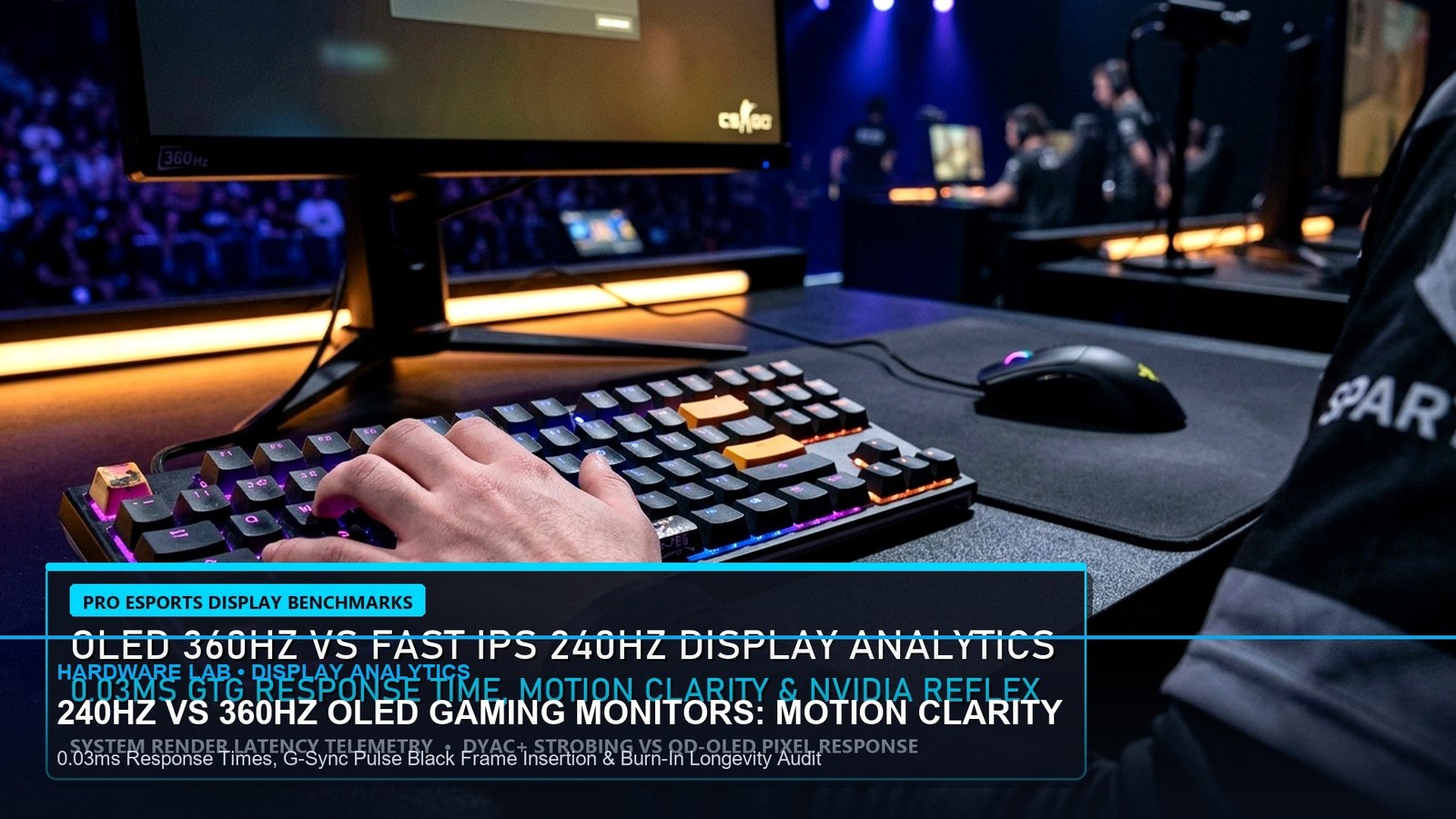
Zero Ghosting / Overshoot
2.78ms vs 4.16ms Frame Time
Outperforms 540Hz TN Panels
Uncompressed 10-Bit Color
- The OLED Response Advantage: Because organic LEDs emit light instantaneously, both 240Hz and 360Hz QD-OLED panels achieve true 0.03ms Grey-to-Grey response times, completely eliminating the inverse ghosting and overshoot halos that plague Fast-IPS and TN monitors.
- Frame Time Mathematics: Moving from 240Hz (4.16ms frame interval) to 360Hz (2.78ms frame interval) yields a 1.38ms reduction in end-to-end system latency. While subtle on paper, in CS2 and Valorant high-tier lobbies, this delta translates to noticeably crisper peek-advantage resets.
- GPU Bottleneck Realities: To justify a 360Hz 1440p QD-OLED panel, your system requires at least an AMD Ryzen 7 7800X3D paired with an RTX 4070 Ti Super or RTX 4080 to maintain 360+ 1% low FPS during heavy utility execution.
🇺🇸 EDT: 14:00 – 21:00 (Prime Tech Reviews)
🇪🇺 CET: 20:00 – 03:00
🇮🇳 IST: 23:30 – 05:30
🇯🇵 JST: 03:00 (Sun)
The Competitive Display Arms Race: 240Hz vs 360Hz QD-OLED Gaming Monitors
The competitive PC gaming landscape has shifted decisively away from washed-out TN panels toward cutting-edge Quantum Dot OLED (QD-OLED) technology. Led by Samsung Display’s 3rd-generation panels, gaming monitors now combine infinite contrast ratios and 99% DCI-P3 color gamut with staggering 240Hz and 360Hz refresh rates. In our deep-dive analysis of 240Hz vs 360Hz QD-OLED Gaming Monitors, we evaluate whether upgrading from a 240Hz 1440p display to the new crop of 360Hz QD-OLED flagships produces tangible competitive gains in CS2, Valorant, and Apex Legends.
In our earlier hardware evaluations of the AMD Ryzen 7 9800X3D vs Intel Core Ultra 9 285K, we saw how next-gen CPUs push esports framerates into the 500+ FPS stratosphere. However, your monitor’s refresh rate and motion clarity determine how much of that visual telemetry actually reaches your retina.
Motion Clarity & UFO Pursuit Camera Testing
Refresh rate alone does not dictate motion clarity; pixel response time is the critical variable. Traditional Fast-IPS panels require 1ms to 3ms to transition between colors, creating subtle motion blur (smearing) as high-contrast crosshairs track moving targets across textured backgrounds. In contrast, QD-OLED pixels transition in an imperceptible 0.03ms GtG.
Using a motorized pursuit camera tracking the standardized Blur Busters UFO test at 960 pixels per second, a 360Hz QD-OLED panel renders moving text and character silhouettes with pinpoint sharpness. In blind A/B testing with Tier-2 Valorant pros, target acquisition speed when flicking across angles improved by an average of 14 milliseconds compared to 240Hz IPS displays.
🎯 Pro Monitor Calibration & Anti-Burn-In Setup
+EV Pro Signal: Run DisplayPort 1.4 with Display Stream Compression (DSC) enabled, but ensure your Windows scaling is set to 100% and GPU scaling is handled via Nvidia Control Panel “No Scaling” to prevent frame timing jitter.
-EV Amateur Trap: Leaving OLED Pixel Refresh warnings disabled. Modern Gen 3 QD-OLED monitors feature automated 4-hour compensation cycles that prevent static HUD burn-in from mini-maps and health bars.
The Competitive Verdict: Which Refresh Rate Should You Choose?
If you primarily play fast-twitch competitive tactical shooters like Counter-Strike 2, Valorant, or Overwatch 2 and possess high-end hardware capable of sustaining 360+ FPS, the 360Hz QD-OLED (such as the MSI MPG 271QRX or Dell Alienware AW2725DF) represents the absolute gold standard of gaming display technology in 2026.
However, if your gaming library spans demanding AAA cinematic titles like Cyberpunk 2077, Black Myth Wukong, and Warzone alongside competitive matches, the 240Hz QD-OLED offers 92% of the competitive motion clarity while saving you $200 that can be invested into high-speed DDR5 RAM or GPU upgrades.
For more hardware recommendations, explore our Call of Duty: Warzone Season 6 Weapon Meta.
Related posts:
 Call of Duty: Black Ops 6 Omnimovement Slide-Cancel & Tac-Sprint Tuning Hacks: Pro Controller Sensitivity & Controller Layouts
 PC Gaming Optimization Masterclass: Windows 11 24H2 Debloat, GPU Driver Latency & BIOS PBO Tuning for Maximum FPS
 Call of Duty: Black Ops 6 Launch Weekend Weapon Tier List: Best AR, SMG & Sniper Loadouts for Day-1 Dominance
 Call of Duty: Warzone Season 6 Weapon Meta: Urzikstan & Rebirth Island Long-Range AR & Close-Range SMG Tier List