
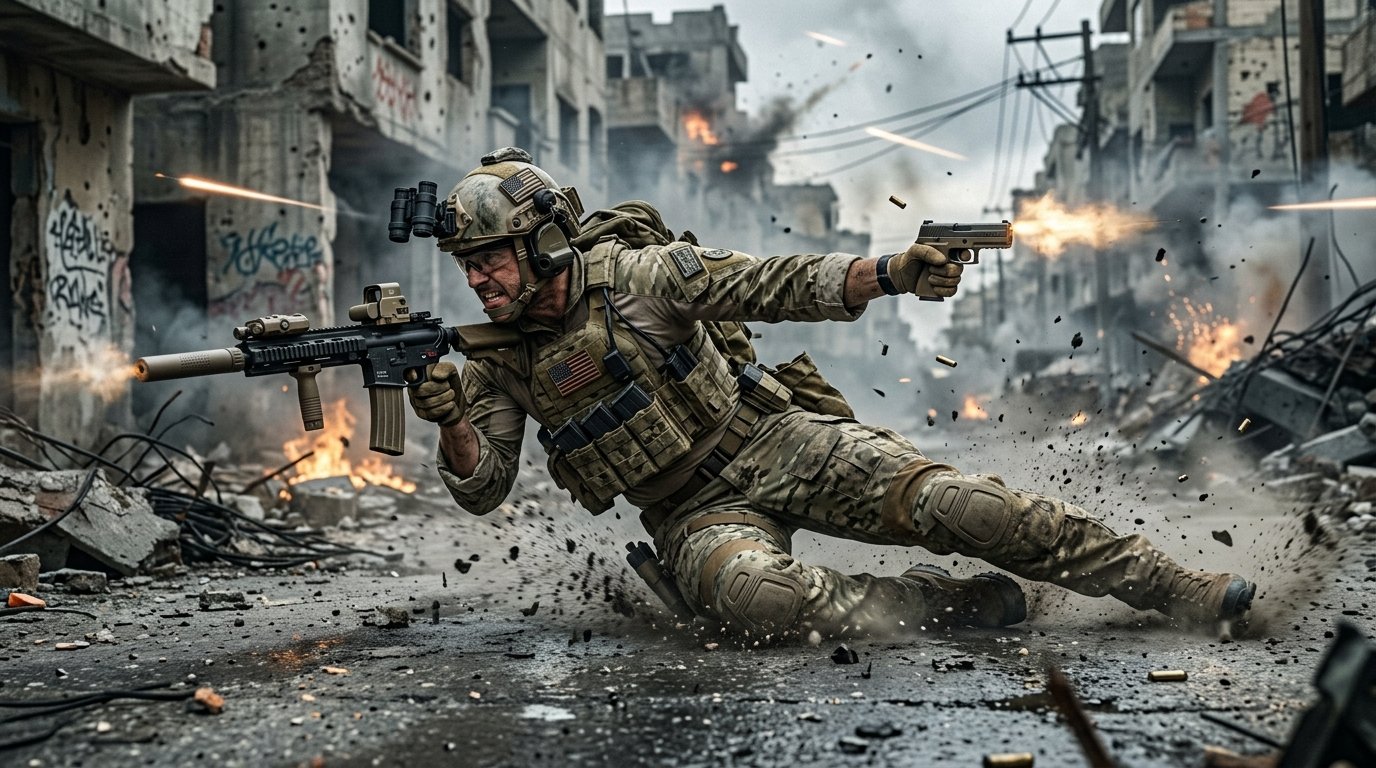
Call of Duty undergoes its most radical mechanical evolution in franchise history with the introduction of full directional freedom. Our definitive Black Ops 6 Best Omnimovement Settings guide walks you through essential controller button layouts, slide/dive behavioral toggles, stick deadzones, field of view (FOV) benchmarks, and competitive audio EQ tuning to dominate every gunfight.
What is Omnimovement & Why Settings Dictate Gunfights?
Omnimovement allows players to sprint, slide, and dive in any direction (forward, backward, left, right, or diagonal) seamlessly while retaining full 360-degree weapon aiming. Consequently, default control presets handicap your reaction time; having to remove your thumb from the right stick to slide or dive prevents you from tracking targets mid-air.
- Instant Slide Cancel: Chaining backward slides into instant forward sprints breaks camera angles.
- Corner Slicing & Door Bash: Automatic tactical assists preserve sprint momentum through dense interior buildings.
- Audio Footstep Separation: Fine-tuning bass boost eliminates deafening grenade rumblings so you can pinpoint flanking steps through walls.
Top Omnimovement Behavioral Settings Table
Consequently, setting your movement behaviors to “assist” or “tap” unlocks fluid momentum without clunky button delays. Adjust these toggles immediately under the Movement Settings tab.
| Movement Setting | Recommended Value | Competitive Advantage |
|---|---|---|
| Sprint Assist | Tactical Sprint Assist | Engages max sprint speed instantly upon pushing stick forward. |
| Sprint Assist Delay | 0 ms | Eliminates input lag when initiating directional omni-sprints. |
| Slide / Dive Behavior | Tap to Slide | Tapping slides instantly; holding triggers directional diving. |
| Sprint Restore | Enabled | Resumes sprinting immediately after vaulting obstacles or mantling. |
| Corner Slice | Disabled | Prevents automatic camera weapon canting when hugging walls. |
| Sprint Door Bash | Enabled | Smashes through doors without needing manual interact inputs. |
Best Controller Layout & Stick Deadzones
Furthermore, standard controller users without paddles should immediately switch their button preset to Tactical or Bumper Jumper Tactical. This binds Crouch/Slide to the Right Stick (R3) or Left Bumper (L1), allowing you to slide, dive, and jump while keeping your right thumb glued to aiming.
| Controller Option | Optimal Setting | Pro Explanation |
|---|---|---|
| Button Layout Preset | Tactical (or Bumper Jumper Tac) | Crouch/Slide on R3; melee on Circle/B. Never lose aim tracking. |
| Stick Sensitivity (H / V) | 6 / 6 (or 7 / 7) | The CDL pro sweet spot for steady recoil control and quick pivots. |
| ADS Sensitivity Multiplier | 0.85 – 0.90 | Slows down aim slightly when zoomed in for laser-beam accuracy. |
| Left Stick Min Deadzone | 2 – 3 | Ensures instant movement registration with zero stick delay. |
| Right Stick Min Deadzone | 2 – 4 (depending on drift) | Lowest possible setting before controller starts drifting on screen. |
| Aim Response Curve | Dynamic | Delivers exponential S-curve ramp for micro-adjustments and snappy flicks. |
Graphics Benchmarks & Footstep Audio Tuning
Finally, audio cues in Black Ops 6 are crucial for reading omni-slides behind you. Under Audio settings, select the Headphone Bass Boost mix preset, drop Music Volume to 0%, Dialogue Volume to 30%, and crank Effects Volume to 100%. If on PC, activating Windows Sonic or Dolby Atmos spatial sound isolates footstep frequencies around 100 Hz – 250 Hz.
For graphics and FOV, calibrate Field of View to 105 – 110 with ADS Field of View set to Affected. This eliminates disorienting zoom snaps when aiming down sights while widening your peripheral vision. Always disable Motion Blur (World and Weapon) and set Film Grain to 0.00 for pristine clarity.
🔥 Today’s Most Viewed Flagship Stories
- ⚡ Diablo 4 Spiritborn Best Builds: Quill Volley Eagle & Jaguar Ferocity
- ⭐ Roblox Blox Fruits Codes Today: Free 2x EXP Boosts & Resets
- 🏈 Atlanta Falcons vs Baltimore Ravens Overtime: Penix Injury & Tua Debut
- 🚀 Star Wars Zero Company: Bit Reactor Rehires Furloughed Devs After 1M Surge
- 🎮 Free Steam Demo AI Costs Top $1,000 Daily: Dev Takes Bank Loan
Key Takeaways for Black Ops 6 Domination
- Tap to Slide is Mandatory: Never use “Tap to Dive”; slide canceling relies on immediate button presses.
- Tac Sprint Assist at 0ms: Eliminates thumb fatigue and gives you immediate maximum velocity when dodging fire.
- Affected ADS FOV: Keeps your target visible at the same scale whether aiming or hip-firing during mid-air maneuvers.
Related posts:
 Valorant 2027 Input Latency & Deadzoning Hacks: How Pros Achieve Zero Micro-Stutter and Pixel-Perfect Crosshairs
 Black Myth Wukong Secret Loong Bosses Guide: Locations, Scale Puzzle & Staff Crafting
 Overwatch 2 Season 13 Hero Tier List: Best Tanks, DPS & Supports for Competitive Ranked
 The Finals Season 4 Best Loadouts & Sponsor Guide: Heavy, Medium & Light Class Tier List