PUBG Mobile Lite remains one of the most played mobile battle royale titles in India and Southeast Asia, specifically because it runs smoothly on lower-end Android devices. But running the game is only half the battle — the difference between reaching Conqueror rank and being stuck in Platinum is almost entirely decided by your sensitivity and graphics settings.
Here is the complete pubg mobile lite best settings guide for 2026, with the exact sensitivity numbers, graphics configurations, and gyroscope settings used by top-ranked players in the current meta. Bookmark this page — these settings need to be revisited every time there is a major game update.
- Table of Contents:
- Best Graphics & Basic Settings
- Camera Sensitivity (Free Look)
- Camera Sensitivity (Sighting & Panning)
- ADS Sensitivity Guide
- Gyroscope Sensitivity (If Enabled)
- Pro Tips for Tuning Your Aim
- 💡 Expert Tip: The Peek & Fire Advantage
🔥 NEXT UP (Don’t Miss This): BGMI Masters Series Season 5 Grand Finals: All 16 Teams
1. Best Graphics & Basic Settings
Before jumping into your sensitivity slider numbers, use these core setting optimisations to reduce lag and improve your overall tracking speed.
Graphics Layout
| Setting | Value | Why |
|---|---|---|
| Graphics Quality | Smooth | Essential to keep your frame rate stable on all devices |
| Frame Rate | Extreme or Ultra | Always pick the highest available option to minimise screen delay |
| Anti-Aliasing | OFF | Turn this off to prevent thermal throttling and save precious battery |
| Shadows | OFF | Eliminates visual noise; enemies stand out more clearly |
| Auto-Adjust Graphics | OFF | Prevents the game from downgrading your settings mid-match |
Basic Controls
| Setting | Value | Why |
|---|---|---|
| Aim Assist | ON | Crucial for close-quarters tracking on mobile screens |
| Left Fire Button | Always On | Essential for quick scope-spraying or hip-firing while moving |
| Peek & Open Scope | OFF | Keeps peeking and scoping separate so you don’t accidentally zoom in behind cover |
| Peek Options | Tap or Mixed | Mixed lets you tap for a quick hold or hold down for a temporary peek |
Important: If your device heats up after 10 minutes on Extreme 90 FPS, switch Frame Rate to Ultra (60 FPS). A stable 60 FPS is always better than a stuttering 90 FPS.
2. Camera Sensitivity (Free Look)
This controls how quickly your screen spins when you use the “Eye” button to scan your surroundings without moving your weapon.
| View | Recommended Range |
|---|---|
| TPP No Scope | 115% – 130% |
| FPP No Scope | 100% – 115% |
| Camera (Parachuting) | 120% – 130% |
3. Camera Sensitivity (Sighting & Panning)
This dictates your camera speed when panning around or aiming down your scopes before you press down on the fire button. Getting these right is the key to smooth target acquisition.
| Scope Type | Recommended Value |
|---|---|
| No Scope (TPP) | 110% – 125% |
| No Scope (FPP) | 95% – 105% |
| Red Dot / Holographic | 55% – 70% |
| 2x Scope | 35% – 45% |
| 3x Scope | 22% – 30% |
| 4x Scope | 15% – 20% |
| 6x Scope | 10% – 13% |
| 8x Scope | 8% – 10% |
4. ADS Sensitivity (Aim Down Sight)
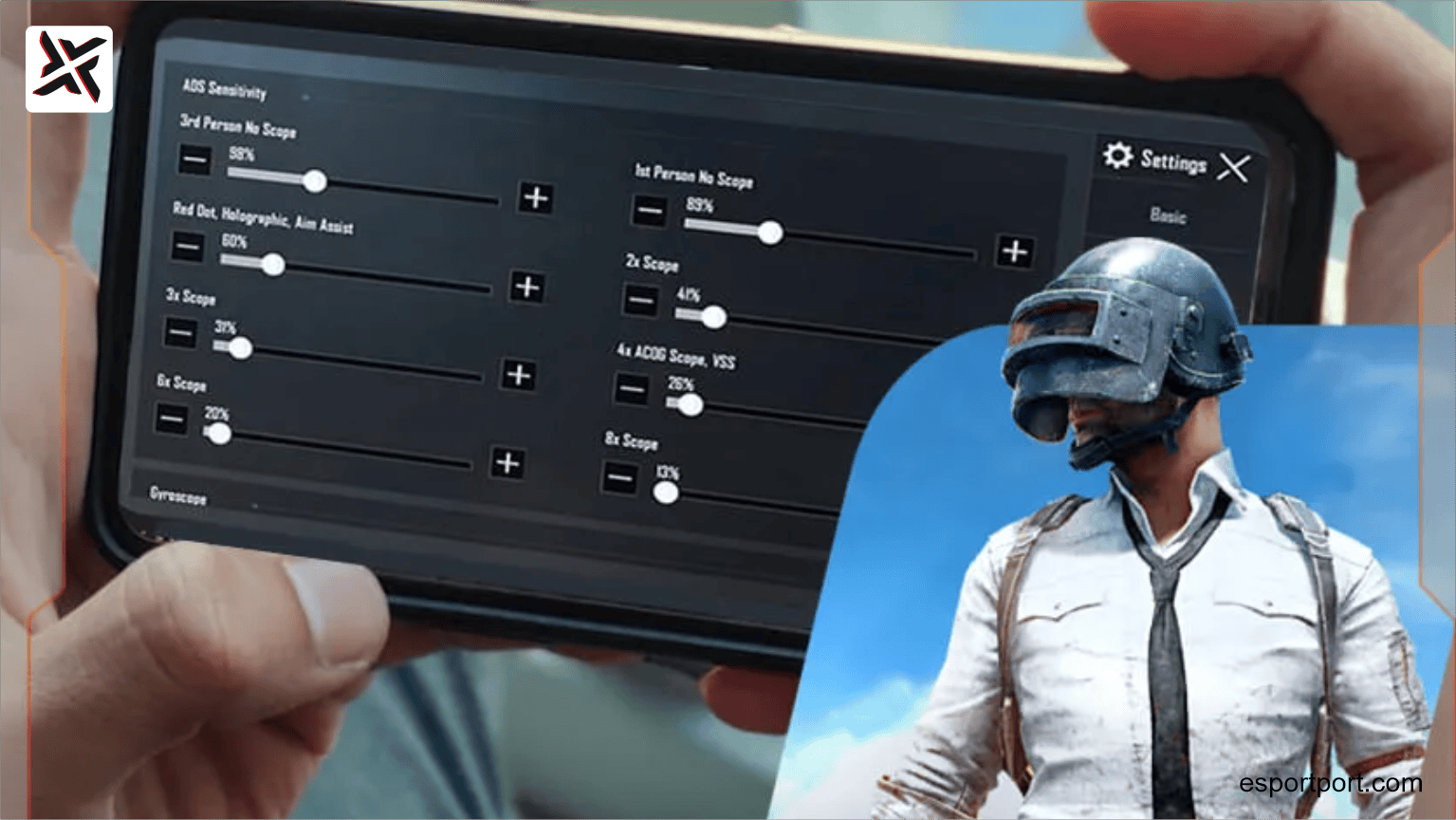
This is the most critical setting for non-gyroscope players. ADS sensitivity determines how much resistance your screen offers when you drag your thumb downward to control vertical recoil while actively firing.
| Scope Type | Recommended Value |
|---|---|
| TPP No Scope | 115% – 125% |
| FPP No Scope | 100% – 110% |
| Red Dot / Holographic | 60% – 75% |
| 2x Scope | 40% – 45% |
| 3x Scope | 30% – 35% |
| 4x Scope | 25% – 30% |
| 6x Scope | 16% – 23% |
| 8x Scope | 12% – 15% |
5. Gyroscope Sensitivity (If Enabled)
If you prefer physically tilting your device to track targets and counter kickback, activate Gyroscope: Always On and use these reactive values. Gyroscope gives a massive advantage in close-range spray control but requires a mid-range or higher device to avoid CPU stutters.
| Scope Type | Recommended Value |
|---|---|
| TPP / FPP No Scope | 300% – 400% |
| Red Dot / Holographic | 300% – 350% |
| 2x Scope | 250% – 300% |
| 3x Scope | 180% – 240% |
| 4x Scope | 150% – 185% |
| 6x Scope | 100% – 130% |
| 8x Scope | 60% – 90% |
⚠️ Device Warning: Turn Gyroscope OFF if your phone is a budget or entry-level device (2022 or older). On low-spec hardware, Gyroscope runs at 90%+ CPU load, causing micro-stutters that are more damaging than any aiming advantage.
6. Pro Tips for Tuning Your Aim
These are the three rules every competitive PUBG Mobile Lite player uses to dial in their personal settings:
-
Never blindly copy settings: Layout cloud-share codes from YouTube or pro esports hubs are excellent starting baselines. But always tweak the sliders by 2% to 5% increments based on whether your device screen feels too slippery or too stiff. Every phone screen has slightly different touch sensitivity hardware.
-
Isolate your recoil problems: If your gun sprays too far upward into the sky, increase your ADS sensitivity slightly. If your weapon shakes too violently left-to-right, try lowering your camera scope values or equip a Compensator attachment in-match.
-
The Firing Drill Test (Do This Every Update): Drop into the Training Grounds map. Lock onto the 50-metre moving targets board. If your aim consistently trails behind the board, step your sensitivity up by 5%. If your crosshair keeps overshooting the board, drop it down by 5%. Repeat until your crosshair tracks the board perfectly in a fluid arc. Re-run this test every time the game patches, as updates frequently alter the underlying touch response behavior.
🛡️ EXPERT TIP: THE PEEK & FIRE ADVANTAGE
The one mechanic that separates Conqueror players from Platinum players.
In PUBG Mobile Lite, the “Peek & Fire” button (the small curved arrow icons on either side of your aim button) is criminally underused by casual players. When you tap the Peek button and immediately tap Fire, your character’s hitbox is exposed for approximately 0.4 seconds — significantly less than the 1.2 seconds of exposure during a standard prone-to-standing animation. This means your opponent has 3x less time to react and return fire. Top Conqueror players use Peek & Fire for literally every engagement behind cover. To master it, go to Training Mode, place yourself behind any wall, and practice the Peek → Aim → Fire → Return sequence until it becomes muscle memory. It will immediately improve your win rate in final circle situations.