The debate between Keyboard/Mouse players and Controller players has officially peaked. If you are playing Call of Duty: Warzone or Black Ops 6 ranked this weekend, you have likely watched a killcam where an enemy’s crosshair perfectly tracked your body through smoke with zero human reaction time.
PC players are screaming that everyone is using an Aimbot, but the terrifying reality is that this tracking is built directly into the game’s menu. It is completely legal, entirely unbannable, and 90% of casual players don’t even know it exists.
Here is the exact “Legal Hack” controller setting that is ruining ranked matchmaking.
- Table of Contents:
- The Aim-Assist Types
- The ‘Dynamic’ Secret
- 💡 Expert Comments: Deadzone Tuning
🔍 ALSO READ: The ‘Broken’ Black Ops 6 Loadout Ruining Weekend Ranked Lobbies
1. The Aim-Assist Types
By default, when you plug a controller into Call of Duty, the game sets your Aim Assist Type to “Standard.” This provides a traditional slowdown effect when your crosshair drags over an enemy.
[🎬 WORDPRESS ACTION: Embed a YouTube Video or TikTok of ‘Warzone Broken Aim Assist Settings’ right here to keep them watching!]
However, professional players immediately go into their settings and change the Aim Assist Type from ‘Standard’ to ‘Black Ops’. The ‘Black Ops’ setting has a slightly wider rotational bubble. This means that if an enemy slides past your screen, your camera will automatically rotate to track their body without you even touching the right thumbstick.
2. The ‘Dynamic’ Secret
✅ HOW TO ENABLE IT
Open your Settings -> Controller -> Aiming. Scroll down to ‘Aim Response Curve Type’ and change it from Standard to Dynamic. Then, change your Aim Assist Type to Black Ops.
The real magic happens when you pair the ‘Black Ops’ aim assist with the Dynamic Response Curve. Dynamic mapping reverses the traditional thumbstick acceleration. It gives you extreme, twitchy speed for small micro-adjustments (allowing you to snap onto targets faster), but slows down heavily when you push the stick all the way to the edge. When paired together, this setting practically glues your crosshair to the enemy’s chest, mimicking third-party aimbot software.
🛡️ EXPERT COMMENTS: DEADZONE TUNING
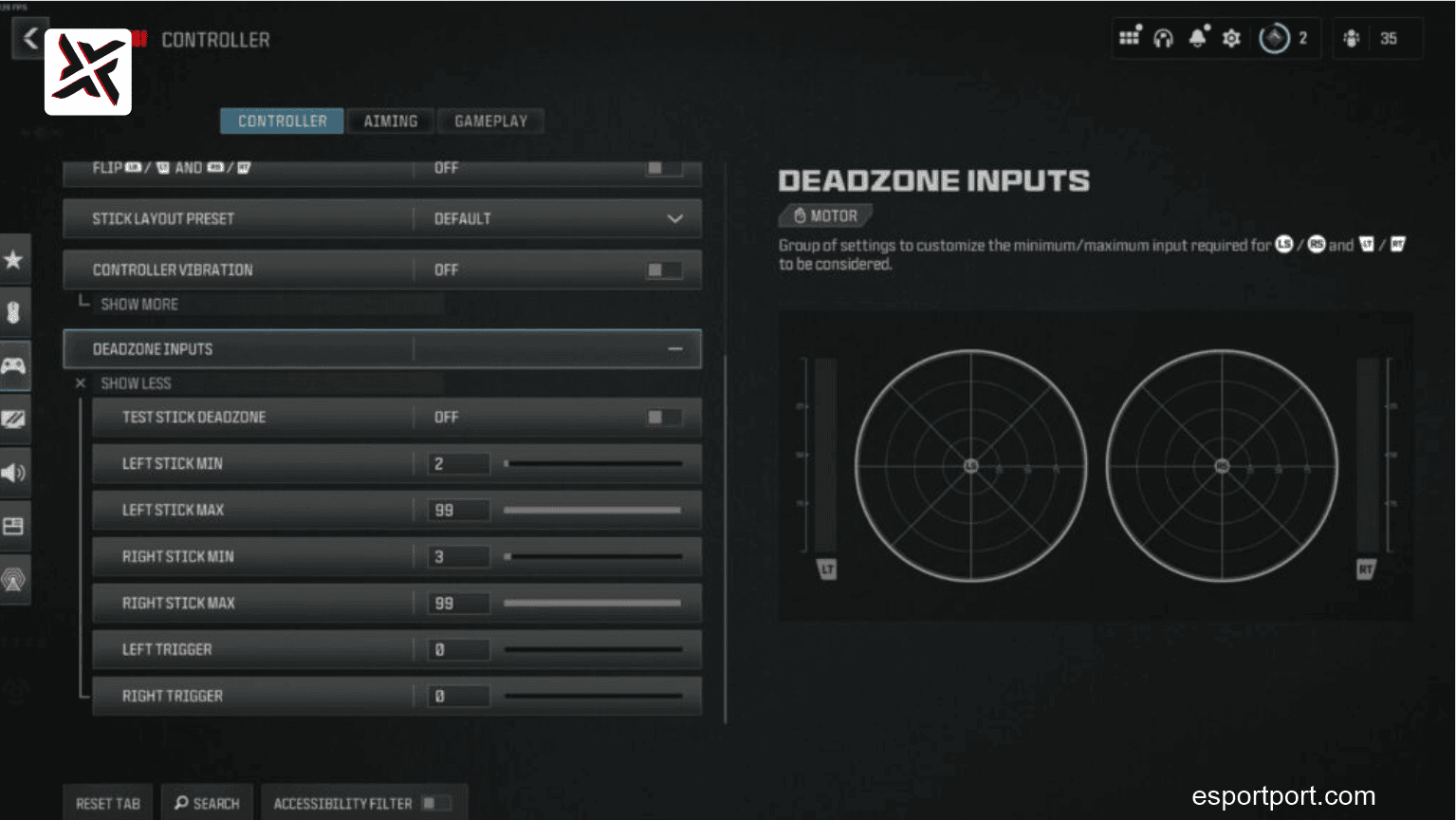
Why does rotational aim-assist not work for me?
Rotational aim-assist only kicks in if the game detects input on your LEFT thumbstick (movement). If you are standing completely still, the sticky-aim turns off. To abuse this system, you need to lower your Left Stick Minimum Deadzone to 0.02. This introduces a tiny amount of “stick drift” to your character, causing them to micro-strafe at all times. Because the game thinks you are constantly moving, your rotational aim-assist will be active 100% of the time, guaranteeing you win every close-range gunfight.