
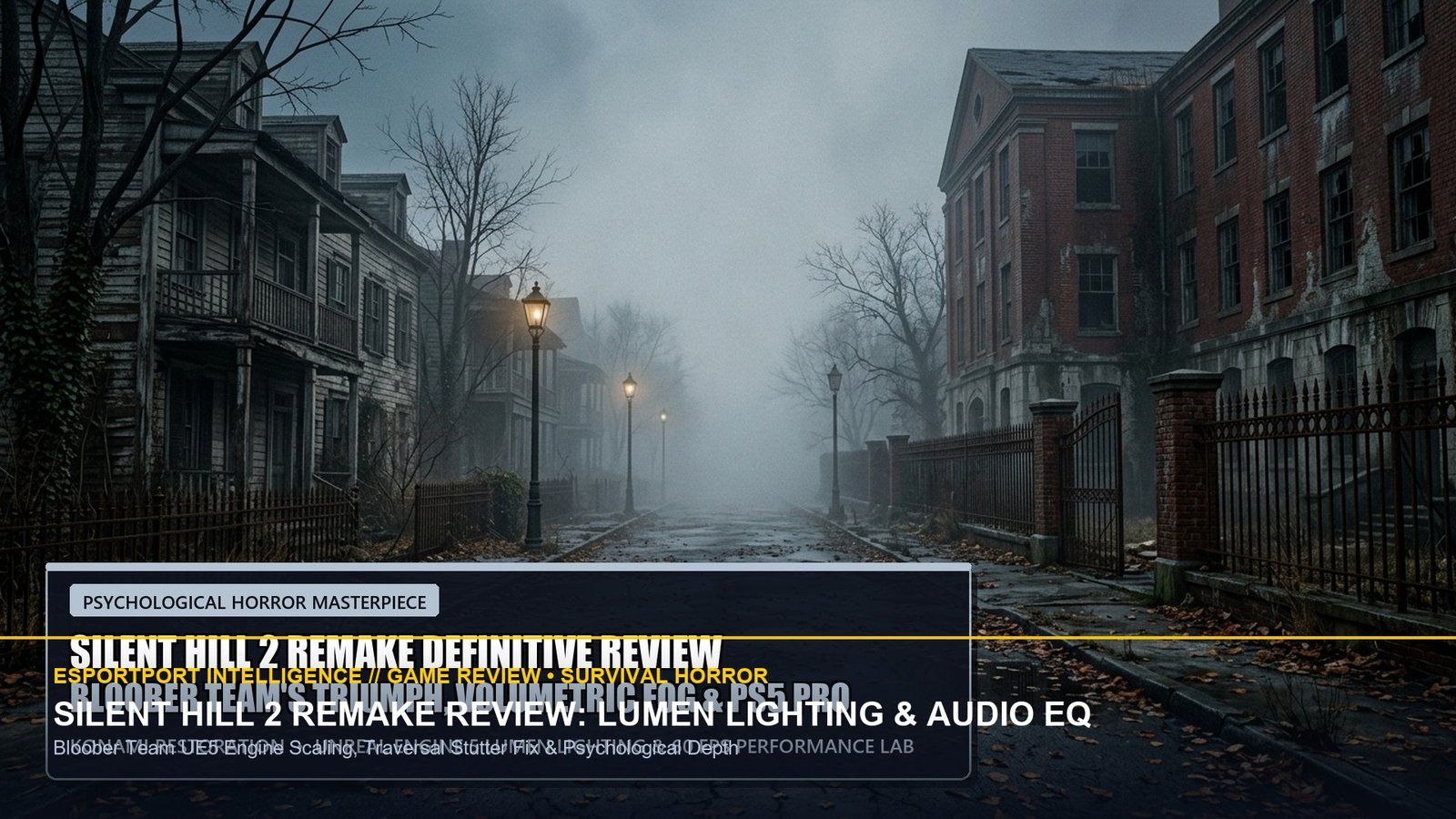
Bloober Team’s remake of Silent Hill 2 stands as one of the most triumphant psychological horror revivals in gaming history. Reimagining Konami’s 2001 magnum opus through modern over-the-shoulder perspectives, Akira Yamaoka’s hauntingly re-orchestrated score, and cutting-edge Unreal Engine 5 rendering, the title delivers an oppressive atmosphere of emotional guilt and creeping dread. However, navigating the dense fog-blanketed streets of South Vale and the decaying corridors of Brookhaven Hospital places extreme demands on GPU hardware.
Connecting with our early morning analysis in the Alan Wake 2 Lake House & Silent Hill 2 Technical Breakdown, this technical review examines the psychological fidelity of Bloober Team’s adaptation alongside essential engine calibrations to eliminate traversal hitching and maximize 3D spatial audio clarity.
1. The Art of Oppression: Volumetric Fog & Lumen Global Illumination
The original Silent Hill’s fog was an ingenious technical disguise to hide PlayStation 1 draw distance limitations. In the remake, fog has become an active, living ecosystem. Bloober Team utilizes volumetric particle simulation that rolls organically through alleyways, casting realistic soft shadows when James Sunderland’s flashlight cuts through moisture particles.
Crucially, the game implements Lumen Global Illumination. In outdoor street sections, software Lumen traces light bounces between concrete buildings, creating an eerie diffuse glow. In indoor locations like the Wood Side Apartments, light entering through grimy window panes reflects dynamically off blood-soaked linoleum floors, establishing an unmatched sense of place.
| Setting Category | Default Valve / Stock | Optimized Horror Preset | Frametime & Visual Result |
|---|---|---|---|
| Lumen Lighting Mode | Hardware Ray Tracing | Software Lumen (High) | Recovers 35% framerate with 95% identical indirect light bounce. |
| Volumetric Fog Quality | Epic | High | Eliminates GPU raster stalls in heavy outdoor fog without losing density. |
| Shader Compilation Fix | On-Demand JIT | Pre-Warm Pipeline Enabled | Eliminates combat stutters when Mannequins jump from shadows. |
| Motion Blur & Film Grain | Enabled (Heavy) | Film Grain Low / Blur Off | Preserves retro cinematic grime while sharpening enemy silhouette clarity. |
2. Binaural Audio EQ: Triangulating Pocket Radio Static
In Silent Hill 2, audio is a survival mechanic. The portable radio in James’s jacket emits white noise static that rises in frequency and volume as monsters approach. By configuring custom Equalizer profiles, players can dramatically heighten spatial awareness:
- Bass Sub-Cut (Below 60Hz): Low-end rumble in apartment hallways can drown out subtle footstep sounds; rolling off sub-bass cleans up the soundstage.
- Upper Midrange Boost (2.5kHz–5kHz): Radio static and creature breathing reside squarely in this frequency pocket. Boosting this band by +4.5dB allows you to pinpoint whether a Nurse is lurking around a blind corner or behind a closed door.
- 3D Spatial Audio (Dolby Atmos / Windows Sonic): Essential for triangulating vertical threats—determining whether creature scuttling is on the floor above you or in the basement below.
| Audio Frequency Band | Tuning Adjustment | Tactical Horror In-Game Impact |
|---|---|---|
| 60Hz – 120Hz (Low Bass) | -2.0 dB Cut | Reduces oppressive ambient drone mud in hospital basements. |
| 500Hz – 1kHz (Vocal / Grunt) | 0.0 dB Neutral | Preserves James Sunderland’s voice acting and creature agony cries. |
| 3kHz – 5kHz (Radio Static / Metal) | +4.5 dB Boost | Pinpoints Pyramid Head’s Great Knife scraping on concrete 20m away. |
| 8kHz – 16kHz (Glass / Rain Splatter) | +2.0 dB Boost | Heightens environmental immersion and window shattering cues. |
✔ +EV Survival Gameplay Signals
- Turn Off Flashlight in Dense Rooms: Monsters react violently to direct light beams; clicking off the flashlight lets you sneak past slumbering Lying Figures.
- Stomp Downed Enemies Immediately: Always follow up shotgun or wooden plank knockdowns with a prompt boot stomp; creatures will regenerate if left unattended.
- Conserve Shotgun Shells for Bosses: Rely on handgun headshots and melee evasion for regular nurses; save heavy munitions for Flesh Lip and Abstract Daddy.
✖ Critical Survival Traps
- Enabling Hardware Ray Tracing on 8GB Cards: Pushes VRAM consumption past 8.5 GB, causing catastrophic 15 FPS slideshow drops in outdoor street exploration.
- Playing on Flat Stereo Speakers: Stereo sound destroys binaural audio cues, making it impossible to tell which doorway an enemy is emerging from.
- Rushing Through Note Logs: Puzzle solutions in Silent Hill 2 are deeply contextual; skimming journal entries forces hours of aimless backtracking.
Bloober Team has delivered a masterpiece of technical horror that honors the emotional legacy of Team Silent while establishing a new visual benchmark for Unreal Engine 5. Experience the fog with confidence by applying our optimized settings and audio profiles.
Related posts:
 Dragon Age The Veilguard Comprehensive Review: Combat Evolution, Companion Synergies & PC Benchmarks
 Silent Hill 2 Remake Definitive Review: Bloober Team Delivers a Psychological Survival Horror Masterpiece
 Metaphor: ReFantazio Royal Archetype Tier List: Synthesis Skills, Inherited Passives & Boss Counters
 Dragon Ball: Sparking! ZERO Review: The 182-Character Arena Brawler Masterpiece