
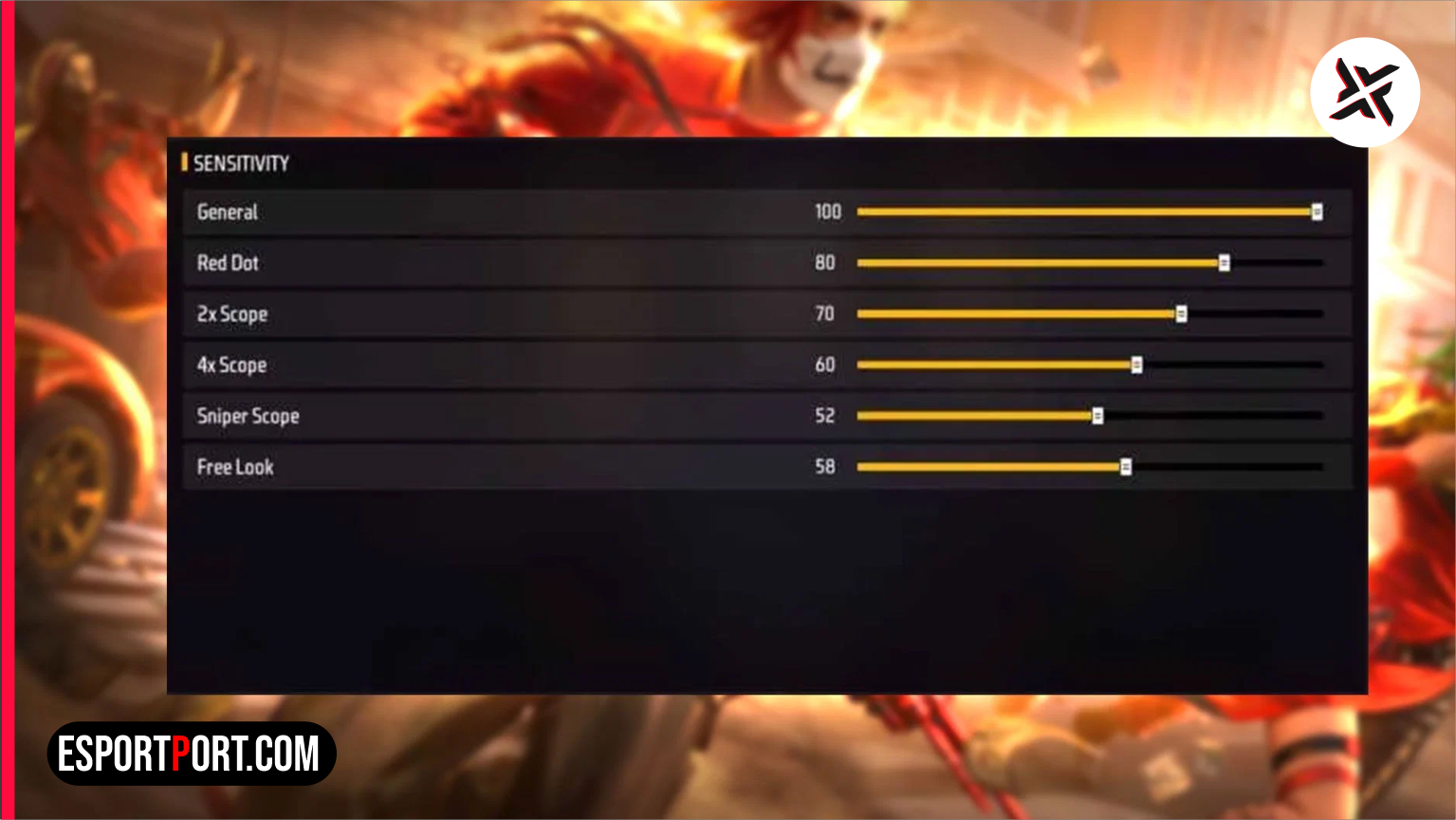
If your Desert Eagle, Woodpecker, and M1887 shots keep locking onto the enemy’s chest vest instead of snapping cleanly to the helmet, your sensitivity sliders are not the only culprit. In the late-2026 Garena competitive meta, mastering the Free Fire headshot trick comes down to three physical variables that most casual players ignore: your Fire Button pixel diameter, your starting crosshair placement, and your J-Drag thumb trajectory.
Whether you are grinding Clash Squad Ranked on a budget 4GB RAM Android phone or competing on a 120Hz gaming device, oversized fire buttons create dead-zone friction that prevents your thumb from accelerating fast enough to break Garena’s default body aim-lock. Below is the complete mechanical breakdown to land 90%+ one-tap red numbers consistently.
- Table of Contents:
- 1. The “J-Drag” vs Straight-Drag Mechanics Explained
- 2. Optimal Fire Button Size & Screen Placement by Phone Screen Size
- 3. Best Sensitivity & Safe Developer Options DPI Matrix (2GB to 12GB RAM)
- 4. Weapon-Specific Drag Speeds (Desert Eagle, M1887, UMP & Woodpecker)
- 5. 💡 Pro Tip: The Crosshair “White-to-Red” Pre-Aim Rule
🔥 NEXT UP (Don’t Miss This): Free Fire MAX Headshot Sensitivity Settings for Low-RAM Phones (2GB, 3GB & 4GB)
1. The “J-Drag” vs Straight-Drag Mechanics Explained
When an opponent is sprinting laterally or jumping diagonally toward cover, pulling your right thumb straight up (the standard 12-o’clock drag) causes your bullets to trail behind their shoulder hitbox. To execute the pro-level Free Fire headshot trick in 2026, you must use the rotational J-Drag technique:
- Step 1 (The Downward Dip): As you tap the right fire button, flick your thumb slightly downward toward the 6-o’clock position for a split millisecond. This momentarily releases the sticky chest aim-assist magnet.
- Step 2 (The Rotational Hook): Immediately sweep your thumb upward in a “J” curve toward the direction the enemy’s head is facing (either 1-o’clock for right-moving targets or 11-o’clock for left-moving targets).
- Step 3 (The Quick-Switch Reset): The instant your first bullet fires, tap your Quick Weapon Switch button or Crouch button so your recoil cone resets to zero before the enemy can return fire.
2. Optimal Fire Button Size & Safe DPI Matrix by Device Tier
Setting your fire button too large (above 60%) forces your thumb to travel across too many pixels before vertical camera acceleration kicks in, while setting it too small (below 38%) causes missed taps during fast Gloo Wall fights. Calibrate your device using our verified Free Fire headshot trick hardware table below:
| Device RAM & Display Tier | Ideal Fire Button Size | General / Red Dot Sens | Safe Android DPI (Smallest Width) |
|---|---|---|---|
| 2GB – 4GB RAM (60Hz Budget) | 42% to 45% | 195 – 200 General / 190 Red Dot | 440 – 460 DPI (+50 Over Default) |
| 6GB – 8GB RAM (90Hz Mid-Range) | 46% to 49% | 185 – 192 General / 180 Red Dot | 420 – 440 DPI (+30 Over Default) |
| 12GB+ RAM (120Hz Flagship) | 50% to 54% | 175 – 184 General / 172 Red Dot | Default Factory DPI (No Boost Needed) |
| iPhone / iPad (iOS ProMotion) | 48% to 52% | 178 – 186 General / 175 Red Dot | Gliding Cursor: Refined / Speed: 100 |
3. Weapon-Specific Drag Speeds & Crosshair Placement
Every weapon class in Free Fire MAX has a different vertical recoil kick and aim-assist lock strength. Adjust how hard you flick your thumb based on this weapon distance matrix for the Free Fire headshot trick:
| Weapon Archetype | Pre-Aim Crosshair Position | Required Drag Force | Optimal Engagement Distance |
|---|---|---|---|
| Desert Eagle / M500 | Below Hip / Knee Level (White Dot) | Short, Sharp J-Flick (30% Screen) | 10m to 25m Mid-Range |
| M1887 / M1014 Shotguns | Above Shoulder Level (White Dot) | Fast 80% Full-Screen Vertical Sweep | 2m to 8m Point-Blank Box Fights |
| UMP / MP40 SMGs | Upper Chest / Neck Level (Red Dot) | Smooth Continuous Upward Drag | 8m to 20m Close-Mid Spray |
| Woodpecker / AC80 Marksman | Collarbone Level (Red Dot) | Light 15% Micro-Flick | 25m to 60m Long-Range Hold |
🔥 ALSO READ ON ESPORTPORT: Free Fire MAX Best 3-Finger & 4-Finger Claw HUD Codes for Fast Gloo Walls
4. 💡 Pro Tip: The Crosshair “White-to-Red” Pre-Aim Rule
The biggest secret behind every tournament player’s Free Fire headshot trick is knowing when to start with a White Crosshair versus a Red Crosshair. In close-range shotgun duels with the M1887, never let your crosshair turn red on the enemy’s stomach before firing—if it is already red at point-blank range, the game’s aim-assist will glue every pellet to their vest.
Instead, keep your reticle slightly off the enemy’s shoulder so it stays White, jump, and sweep diagonally across their head as you press fire. You can download official APK updates and check fair-play device policies directly on Garena Free Fire Official.