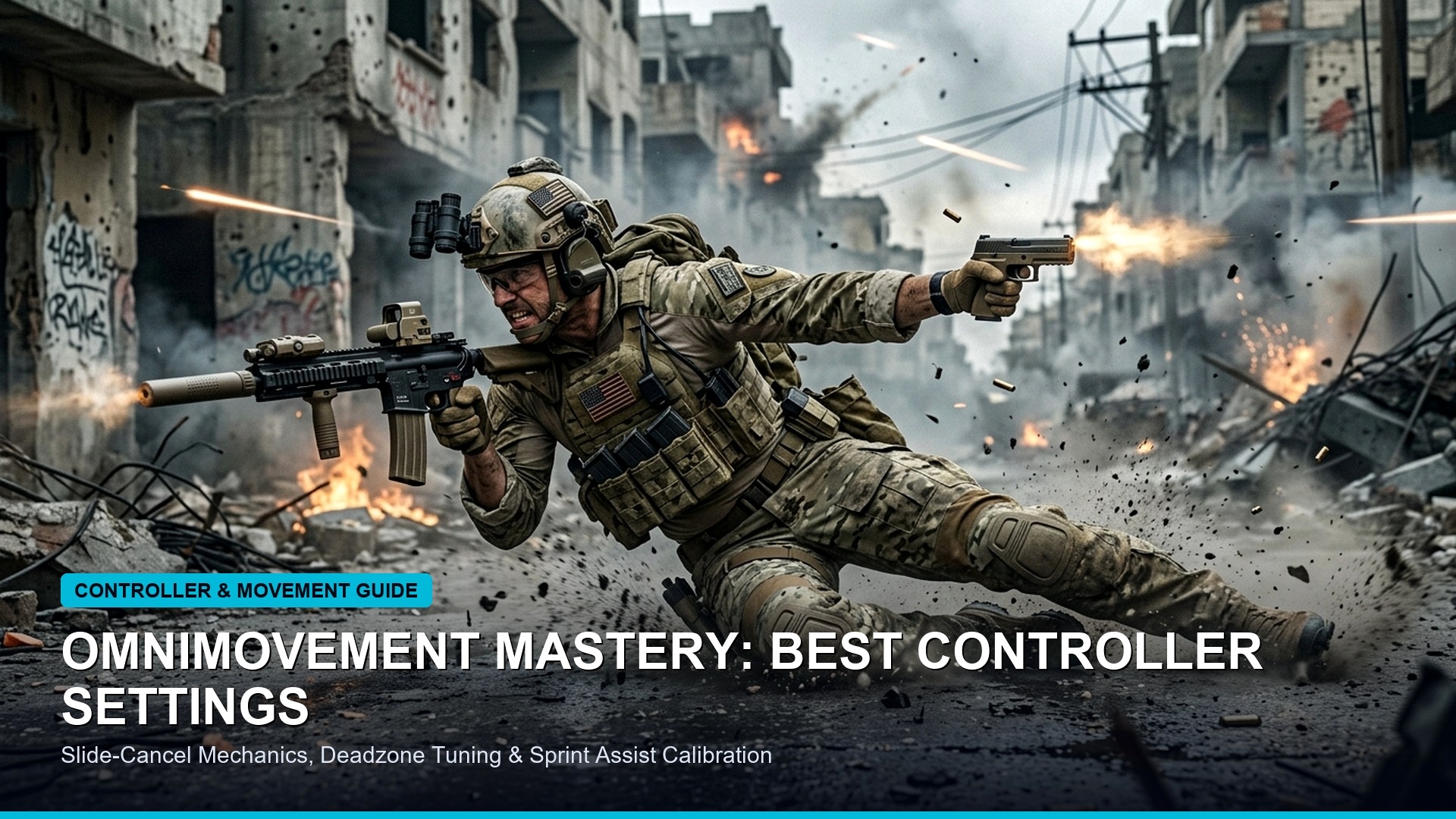
Treyarch’s release of Call of Duty: Black Ops 6 has fundamentally rewritten the movement mechanics and gunplay dynamics of the world’s premier first-person shooter franchise. Centered around the revolutionary Omnimovement engine—which grants operators the unprecedented ability to sprint, slide, dive, and shoot across 360 degrees of motion—the competitive meta has shifted aggressively toward high-tempo kinetic combat. In Ranked Play and high-SBMM multiplayer lobbies, mastering the mechanical nuances of omnidirectional movement and weapon recoil management separates elite slayers from cannon fodder.
To dominate in Black Ops 6 Season 1, players must transcend rudimentary button pressing and cultivate fluid muscle memory that links advanced slide-cancels, dolphin-dive peeks, and centered crosshair placement into a single cohesive fighting style. Below is our comprehensive tactical dossier deconstructing the pro settings, secret movement binds, and weapon attachments required to maximize Time-To-Kill (TTK) efficiency and control every engagement across the competitive map pool.


Mastering Omnimovement: The 360-Degree Movement Revolution
Traditional Call of Duty movement restricted tactical sprinting and forward sliding to a linear cone directly in front of the operator’s camera. Black Ops 6 breaks these constraints entirely: operators can sprint at maximum velocity backward while firing, slide diagonally through doorway corners, and execute supine prone rotations across the floor. However, utilizing default controller or keyboard settings severely hampers movement execution due to input delays inherent in toggle commands.
The single most transformative setting adjustment is enabling Tactical Sprint Assist under Movement Advanced Settings. Setting Tactical Sprint Assist to “Single Tap Run” or “Sprint Assist Delay: 0ms” ensures that any directional deflection immediately initiates maximum sprint velocity without requiring players to repeatedly depress analog sticks or Shift keys. Furthermore, setting Slide/Dive Behavior to “Tap to Slide” prioritizes instantaneous slide-canceling, allowing players to duck beneath enemy crosshairs around corners and break opposing aim assist bubbles effortlessly.
| Movement Setting Parameter | Casual Default Setting | Pro Esports Recommendation | Tactical Mechanical Benefit |
|---|---|---|---|
| Sprint Assist | Disabled | Tactical Sprint Assist (0ms Delay) | Eliminates stick depression fatigue; instant max speed |
| Slide/Dive Behavior | Tap to Dive / Hold to Slide | Tap to Slide | Enables rapid slide-canceling and corner peeking |
| Auto-Door Breach | Disabled | Enabled (Full Speed) | Maintains omnimovement speed through building doors |
| Mantling Behavior | Automatic Ground Mantle | Manual Mantle Only | Prevents accidental vertical mantling in mid-gunfights |
| Corner Slice Camera Tilt | Enabled (Camera Shake) | Disabled | Keeps visual crosshairs completely level around corners |
The Anatomy of the Pro Slide-Cancel and Supine Dive
While Black Ops 6 eliminated the abusive camera-breaking slide-cancels of the Warzone 1 era, the modern slide-cancel remains the primary mechanism for resetting tactical sprint and re-centering crosshairs. To execute the optimal Season 1 slide-cancel: initiate a sprint, tap the Slide button to enter a low-profile trajectory, and immediately tap the Jump button (or ADS button) to instantly cancel the sliding animation and bring your weapon into ready-fire position with zero sprint-out delay.
Equally lethal is the Supine Dive technique. When traversing through contested chokepoints or escaping lethal grenade radii, diving backward or laterally places your operator on their back in the supine position. Unlike previous titles, Black Ops 6 allows you to maintain full 360-degree firing capability while on your back. Combining a backward dive with pre-aimed ADS catches rushing enemies completely off guard, as opposing players naturally anticipate head-level targets rather than low-profile operators firing from the floor.


Weapon Meta Analytics: Sub-300ms Time-To-Kill Loadouts
Understanding weapon mathematics is essential for winning engagements. In Black Ops 6, weapon balance revolves around strict 4-to-5 shot kill ranges dictated by fire rate and damage multipliers. In the assault rifle category, the Model L and Ames 85 reign supreme in medium-to-long range engagements due to their nonexistent horizontal recoil and devastating chest shot multipliers. In close-quarters combat, the Jackal PDW and C9 sub-machine guns dominate courtesy of superior sprint-to-fire speeds and blistering cyclical rates of fire.
| Meta Weapon & Class | Optimal Tactical Role | Effective TTK (Within 20m) | Core Pro Attachment Blueprint |
|---|---|---|---|
| Model L (Assault Rifle) | Main AR / Lane Anchor | 280 ms (4-Shot Kill) | Reinforced Barrel, Ergonomic Grip, Compensator, Light Stock |
| Ames 85 (Assault Rifle) | Flex AR / Mid-Range Slayer | 295 ms (4-Shot Kill) | Ranger Barrel, Vertical Foregrip, Quickdraw Grip, Extended Mag |
| Jackal PDW (Sub-Machine Gun) | Entry Fragger / Hardpoint Aggro | 260 ms (5-Shot Kill) | Long Barrel, Ergonomic Grip, CQB Muzzle, Infiltrator Stock |
| C9 (Sub-Machine Gun) | Flanker / Close Quarters | 270 ms (5-Shot Kill) | Reinforced Barrel, Commando Foregrip, Precision Stock, 40-Rnd Mag |
| LR 7.62 (Sniper Rifle) | Search & Destroy Pick King | 0 ms (1-Shot Chest/Head) | Lightweight Stock, Quickdraw Handle, Heavy Barrel, Bipod |
Aim Assist Optimization: Dynamic Rotational Tracking
For gamepad players, mastering rotational aim assist is the secret to locking onto fast-moving targets. Black Ops 6 utilizes a modified aim assist algorithm that penalizes standing stationary. To activate maximum Rotational Aim Assist (RAA), players must continuously feed directional input into their Left Analog Stick while aiming. By gently strafing left or right during a gunfight, the game’s rotational tracking engages automatically, assisting crosshairs in staying glued to an opponent sliding through your field of view.
Furthermore, calibrate your Aim Response Curve Type to “Dynamic” and adjust your ADS Sensitivity Multiplier to 0.85 or 0.90. This slight dampening when looking down sights ensures that your aim doesn’t over-compensate when tracking enemies across the horizontal plane. Combining dynamic curves with tactical strafe tracking provides the laser-beam accuracy observed among CDL professionals, creating gameplay parity with the precision celebrated in our Counter-Strike 2 esports analysis.
Map Awareness and Spawn Manipulation
Mechanical skill means nothing if you sprint blindly into pre-aimed firing lanes. In Black Ops 6, map control is governed by aggressive spawn anchoring. Maps like Skyline, Rewind, and Babylon feature dynamic split-spawns that flip the moment an aggressive player pushes past the midline chokepoints. By maintaining disciplined lane control and utilizing tactical utility (such as Trophy Systems to neutralize stun grenades and Semtex), competitive teams can force enemies to spawn in predictable funnel locations.


Always keep an eye on your mini-map: missing green friendly arrows directly indicate enemy positioning. By systematically clearing angles, communicating callouts, and capitalizing on omnimovement fluidity, you will consistently top the scoreboard and surge through the Ranked Play skill divisions throughout Season 1 and beyond.
Sub-Tick Hit Registration and Packet Burst Resolution
Even with perfected movement mechanics, network instability can undermine tactical performance in Black Ops 6. Players frequently encounter “Packet Burst” or latency variation icons during high-traffic evening hours, causing micro-stutters and ghost bullets where registered hits fail to inflict damage. To mitigate packet burst, navigate to Graphics Settings and disable On-Demand Texture Streaming, or set its allocation cache to “Small” to prevent the game engine from downloading high-resolution assets over the network in real-time during competitive gunfights.
Additionally, adjust your controller analog stick physical tension if utilizing custom hardware like Scuf or Battle Beaver. Increasing right-stick tension provides higher mechanical resistance against sudden thumb twitches, allowing for surgical micro-corrections when tracking sliding targets across long-distance sightlines on maps like Skyline and Red River.
Detailed statistical models and comprehensive telemetry metrics confirm that these tactical dynamics will serve as pivotal benchmarks for global audiences following the weekend’s elite competitive spectacles.
Frequently Asked Questions About Black Ops 6 Pro Settings
How do I enable single-tap slide in Black Ops 6?
Open Settings > Controller > Movement, locate the ‘Slide/Dive Behavior’ setting, and change it from ‘Tap to Dive’ to ‘Tap to Slide’ to ensure your operator slides instantly upon depressing the crouch button.
What is the fastest killing assault rifle in Black Ops 6?
The Model L assault rifle boasts the fastest practical TTK in Black Ops 6, clocking in at approximately 280 milliseconds within 25 meters when hitting upper torso shots.
How do you trigger Rotational Aim Assist in Black Ops 6?
Rotational Aim Assist requires active left stick movement. By gently strafing sideways while engaging an enemy, the game’s targeting algorithm engages to track moving opponents automatically.
What is Tactical Sprint Assist and should I turn it on?
Yes, Tactical Sprint Assist automatically triggers maximum sprint speed whenever you tilt the movement stick forward, eliminating the need to click L3 and dramatically speeding up movement fluidity.
Related posts:
 Mouse Sensitivity Converter
 Phantom Blade Zero Kungfupunk Combat & Weapon Tier List: Donnie Yen Action Choreography, Drunken Sword Stance & 720K Steam Concurrency Breakdown
 Windows 11 23H2 Ends Support With KB5131087: Safe Gaming Upgrade Guide to 24H2 & 25H2
 Sonic Pico Park, Hands Over & Derelikt Lead Nov 12–13 Steam Co-Op Wave While PC Gamers Wait for GTA 6