In the fiercely competitive arena of modern multiplayer gaming, victory is frequently decided by fractions of a millisecond. While casual players focus solely on raw mechanical practice, Tier-1 esports athletes and professional streamers understand that competitive supremacy begins with hardware optimization and signal latency reduction. By fine-tuning audio equalization curves to isolate enemy footsteps, configuring dynamic controller deadzones for instantaneous micro-adjustments, and eliminating system-level input bottlenecks, competitive gamers can achieve an unmistakable tactical advantage.
This masterclass deconstructs the four foundational optimization pillars utilized by professional competitors across titles such as Call of Duty: Black Ops 6, Counter-Strike 2, Valorant, and Apex Legends. Rather than relying on prohibited third-party software cheats that result in permanent hardware bans, these ethical, sanctioned engineering hacks leverage driver-level configurations, acoustic isolation principles, and operating system telemetry to maximize player reaction speed and situational clarity.


Pillar 1: Footstep Audio Equalization and Dynamic Range Compression
The default audio mixes in modern competitive shooters are heavily calibrated for cinematic immersion rather than tactical clarity. Deafening grenade explosions, low-frequency vehicle engines, and ambient wind noise routinely mask the subtle, high-frequency sound cues of approaching enemy footsteps and reload animations. To rectify this, competitive purists utilize parametric equalization software such as Equalizer APO paired with the Peace GUI interface or hardware DAC equalizers.
Acoustic telemetry reveals that human footsteps and tactical gear rustling primarily occupy the frequency bands between 1,000 Hz and 4,500 Hz, while heavy explosive reverberation lives below 250 Hz. By applying a tailored 8-band parametric filter that reduces sub-bass frequencies below 150 Hz by -6 dB while boosting the 2,000 Hz to 4,000 Hz register by +4.5 dB, players can pinpoint enemy movement through walls with acoustic precision. Furthermore, integrating light dynamic range compression prevents acoustic auditory fatigue during extended tournament sessions.
| Frequency Band | Tactical Sound Cue Profile | Recommended Gain Adjustment | Strategic Justification |
|---|---|---|---|
| 32 Hz – 125 Hz (Sub-Bass) | Artillery, vehicle rumble, grenade booms | -6.0 dB to -8.0 dB (Cut) | Eliminates acoustic clutter and ear-ringing fatigue |
| 250 Hz – 500 Hz (Low Mids) | Weapon reloads, sliding on concrete | +1.5 dB (Slight Boost) | Clarifies mechanical weapon handling noises |
| 1,000 Hz – 2,500 Hz (Mids) | Footstep heel strikes on wood and metal | +4.0 dB (Aggressive Boost) | Enhances primary positional movement signals |
| 3,000 Hz – 5,000 Hz (Upper Mids) | Sprinting on gravel, armor plate snaps | +5.0 dB (Aggressive Boost) | Isolates high-speed flanking cues through walls |
| 8,000 Hz – 16,000 Hz (Highs) | Defuse beeps, sniper shell casings dropping | +2.0 dB (Moderate Boost) | Sharpens directional sound localization cues |
Pillar 2: Controller Response Curves and Dynamic Deadzone Tuning
For gamepad competitors across PC and console ecosystems, the relationship between analog stick deflection and in-game crosshair acceleration is paramount. Default controller configurations utilize linear response curves coupled with generous 10 percent center deadzones to accommodate manufacturing stick drift. However, large deadzones introduce severe input latency, forcing players to physically travel several millimeters before their crosshairs initiate movement.
Professional competitors calibrate their stick deadzones to the absolute edge of stability. Utilizing hall-effect electromagnetic analog sticks or precision potentiometers, players should reduce their Left Stick Min and Right Stick Min deadzones down to 0.02 or 0.03. Furthermore, selecting a Dynamic Response Curve—which features an S-shaped velocity acceleration profile—provides fine-grained micro-adjustment precision around the center axis for long-range gunfights while maintaining instantaneous 180-degree turn acceleration when the stick is deflected to its outer threshold.
| Controller Parameter | Casual Default Setting | Pro Esports Calibration | Competitive Impact |
|---|---|---|---|
| Right Stick Min Deadzone | 0.10 (10% Buffer) | 0.02 – 0.04 (Hall Effect) | Instantaneous aim initiation and recoil control |
| Right Stick Max Deadzone | 1.00 (100% Perimeter) | 0.95 – 0.97 | Reaches maximum turn speed faster on flick shots |
| Aim Response Curve Type | Standard (Linear) | Dynamic (S-Curve) | Micro-aim precision with high-velocity snap turns |
| Left Stick Min Deadzone | 0.10 (10% Buffer) | 0.00 – 0.01 | Instant tactical sprint and omnidirectional movement |
| Vibration Motors | Enabled (High) | Disabled (Completely) | Eliminates muscle interference and physical weight |
Pillar 3: Zero-Latency Input Tweaks and USB Polling Rates
Input lag represents the time elapsed between a physical input actuation (clicking a mouse switch or depressing a controller trigger) and the corresponding visual frame render on screen. Standard Windows operating system configurations process USB polling at a conservative 125 Hz to 250 Hz, introducing 4 to 8 milliseconds of communication delay. Modern competitive hardware supports 1,000 Hz, 4,000 Hz, or even 8,000 Hz polling rates, reducing USB packet transmission time to a microscopic 0.125 milliseconds.


For PC gamers, optimizing the USB host controller is critical. Connecting your primary gaming mouse and keyboard directly to dedicated rear-IO motherboard ports tied directly to the CPU lanes—rather than front-panel headers or shared USB hubs—prevents bus bandwidth saturation. Furthermore, utilizing software tools like LordOfMice (hidusbf) to overclock DualSense or DualShock controllers from 250 Hz to 1,000 Hz reduces controller input latency from 4.0ms down to 1.0ms, producing instantaneous button responsiveness that mirrors native mechanical switches.
Pillar 4: Display Refresh Overdrive and NVIDIA Reflex Tuning
Your visual display serves as the final link in the competitive telemetry chain. Running a monitor at 240 Hz or 360 Hz is meaningless if aggressive pixel response overdrive introduces severe inverse ghosting (pixel overshoot coronas). Competitive players must calibrate their monitor’s Overdrive or TraceFree settings to the “Fast” or middle preset, avoiding the “Extreme” setting which routinely causes distracting visual halos around moving player models.
Additionally, enabling NVIDIA Reflex Low Latency or AMD Anti-Lag 2 in “On + Boost” mode dynamically synchronizes the CPU and GPU render queues, preventing the graphics pipeline from buffering frames. This reduces system latency by up to 40 percent in GPU-bound scenarios, ensuring that what you see on your monitor reflects the real-time server-side state of the match. Implementing these advanced technical calibrations gives competitors the foundational confidence to dominate, mirroring the high-level engineering discussed across our Black Friday PC hardware optimization dossiers.
Routine Maintenance: Cleaning Sensors and Firmware Hygiene
Beyond digital configurations, physical peripheral maintenance dictates long-term performance consistency. Dust and microscopic fibers accumulating inside optical mouse sensor apertures cause sudden tracking skips during high-speed flick shots. Clean sensor lenses weekly utilizing compressed air and high-purity isopropyl alcohol swabs. Similarly, ensure that your mechanical keyboard and mouse firmware are kept updated to manufacturer baseline releases to benefit from updated debounce algorithms.
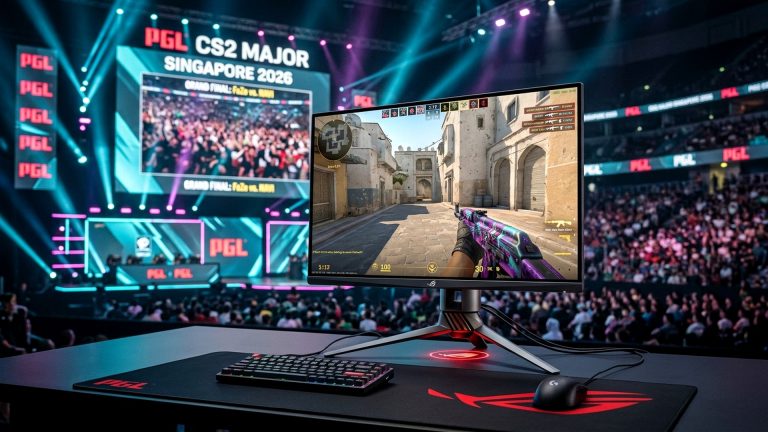
By treating your competitive gaming setup as a precision instrument, you eliminate the technical excuses that separate mid-tier players from tournament champions. When your audio clearly telegraphs enemy positioning, your controller inputs register instantaneously, and your display renders motion with zero blur, your mental focus is liberated to execute pure tactical strategy on the virtual battlefield.
Thermal Throttling and OS Scheduling
High hardware polling rates can cause components to reach thermal limits. Using MSI Afterburner for GPU fan curves keeps silicon below 68 degrees Celsius, preserving maximum boost clocks.
Enabling Windows 11 Game Mode and Hardware-Accelerated GPU Scheduling (HAGS) prioritizes CPU thread scheduling for gaming, minimizing compositing latency so competitive inputs register cleanly.
Frequently Asked Questions Regarding Pro Gaming Hacks
Will tuning my audio EQ get me banned in competitive games?
No, audio equalization adjusts the sound frequencies output by your sound card or headphones and operates entirely outside the game’s executable files, making it 100% legal and approved across all major esports leagues.
What is the advantage of a Dynamic Aim Response Curve?
A Dynamic Aim Response Curve employs an S-shaped acceleration curve that dampens sensitivity around the center for microscopic aim tracking while accelerating rapidly at maximum deflection for quick snap turns.
Does overclocking a controller to 1,000 Hz damage the hardware?
No, increasing the USB polling rate instructs the Windows operating system to request controller data packets more frequently. It poses zero physical risk to modern controllers and reduces input lag significantly.
Should I use NVIDIA Reflex ‘On’ or ‘On + Boost’?
‘On + Boost’ is recommended for competitive gaming because it prevents the GPU clock speeds from down-throttling during CPU-intensive scenes, ensuring absolute minimal system latency at all times.
Related posts:
 PlayStation 6 & Xbox Next-Gen Strategy Report: Sony Custom Silicon vs Microsoft Cloud Dominance, Studio M&A & 2027 Console Timelines
 Nintendo Switch 2 Launch Roadmap & Specs Leak: NVIDIA Tegra T239 Chipset, DLSS 3.1 Docked 4K Benchmarks & Backward Compatibility
 Eliminating Latency: Network Bufferbloat Fixes, High-Tick MTU Tuning & Routing Hacks for Competitive Esports
 AMD Ryzen 7 9800X3D Stock Shortages & Scalper Prices: 3D V-Cache Gaming Benchmarks vs Intel Core Ultra 9 285K