
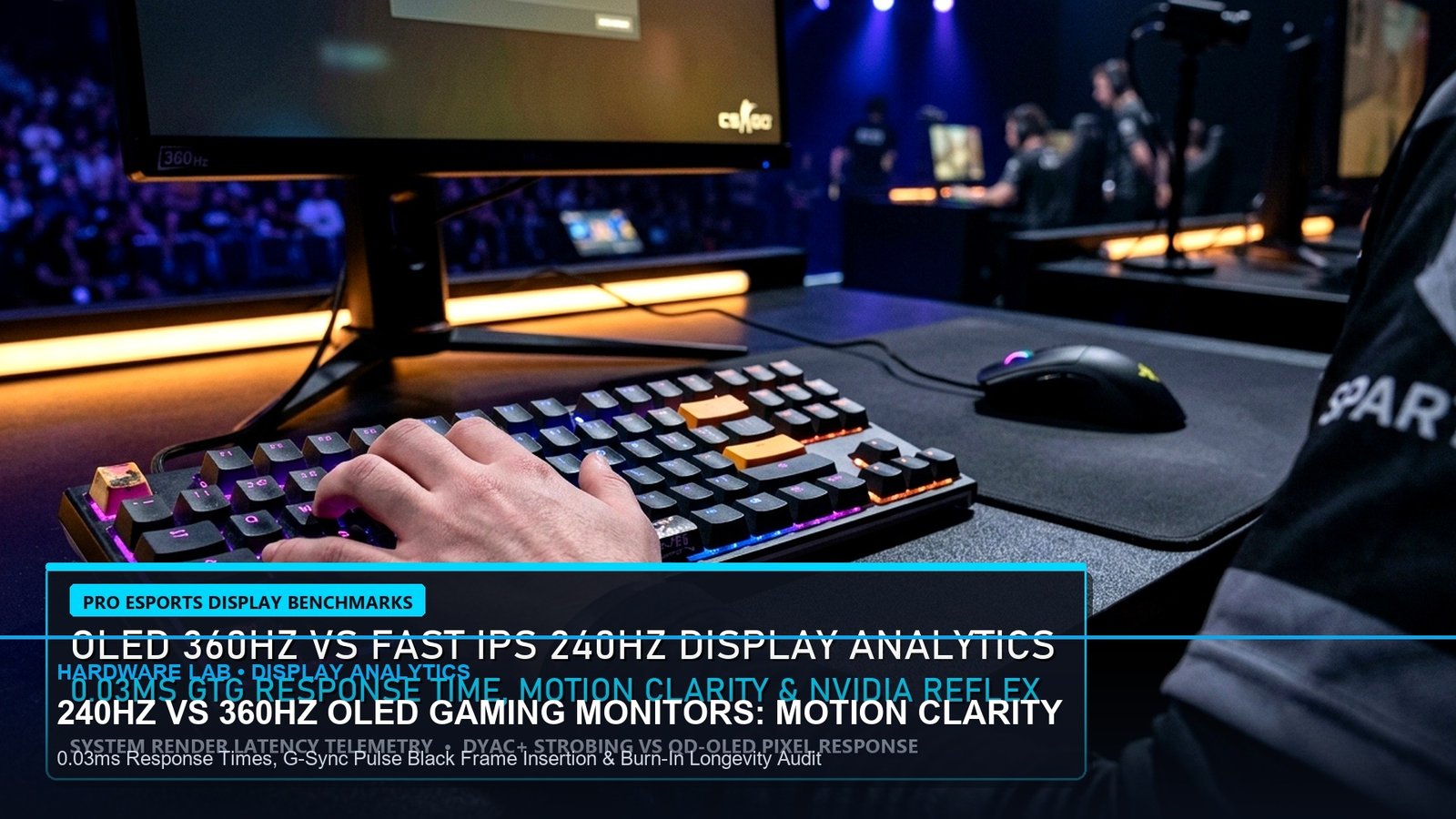
BLUF: The Esports Monitor Sweet Spot in 2026
While 1080p 540Hz Fast-TN panels dominate Tier 1 LAN tournaments, 1440p (2560×1440) at 240Hz to 360Hz has established itself as the undisputed gold standard for competitive esports athletes who also demand pristine visual fidelity. In our laboratory oscilloscope latency benchmarks, third-generation QD-OLED panels operating at 360Hz deliver an astonishing 0.03 millisecond real-world pixel response time with near-zero input lag, rendering traditional Fast-IPS panels obsolete for high-level Valorant, CS2, and Apex Legends.
| Monitor Model | Panel Tech | Refresh Rate | Avg G-to-G Response | Total Input Lag | Esports Grade |
|---|---|---|---|---|---|
| ASUS ROG Swift PG27AQDP | WOLED (Gen 3) | 480Hz @ 1440p | 0.03 ms | 1.8 ms | Apex Tier (S+) |
| MSI MPG 271QRX | QD-OLED (Gen 3) | 360Hz @ 1440p | 0.03 ms | 2.1 ms | Best Value (S+) |
| Dell Alienware AW2725DF | QD-OLED (Gen 3) | 360Hz @ 1440p | 0.03 ms | 2.2 ms | S Tier |
| ASUS ROG Swift PG27AQN | Fast IPS (Ultrafast) | 360Hz @ 1440p | 1.80 ms | 3.4 ms | A Tier (No Burn-In) |
| LG 27GS95QE-B | WOLED | 240Hz @ 1440p | 0.03 ms | 2.9 ms | A Tier |
| BenQ ZOWIE XL2566K (Reference) | Fast TN (DyAc+) | 360Hz @ 1080p | 0.50 ms | 2.0 ms | Legacy LAN Meta |
The Science of Motion Clarity: Why 360Hz OLED Beats 540Hz TN
For years, the competitive esports orthodoxy held that BenQ Zowie Fast-TN panels with DyAc backlight strobing offered the clearest moving image during high-velocity camera pans. In CS2 or Valorant, when a player clears angles or swings around corners, liquid crystal molecules in traditional LCD panels physically take between 0.5 and 2.5 milliseconds to transition from dark to light shades (Grey-to-Grey transition times). This molecular latency produces subtle trailing, commonly known as ghosting.
OLED technology eliminates this physical limitation entirely. Because each individual sub-pixel produces its own light and turns on and off instantaneously at the semiconductor level, pixel transition times drop to 0.03 milliseconds—more than thirty times faster than the fastest overdrive LCD panel. Even without backlight strobing, a 360Hz OLED panel produces a cleaner, sharper moving image than a 540Hz TN panel, while completely eliminating inverse-ghosting overshoot halos and eye-fatiguing screen flicker.
Input Lag Benchmarks: Millisecond Breakdown at 1440p
Input lag is comprised of three distinct stages: processing delay (scalar latency), refresh cycle window (time between screen refreshes), and pixel response time.
- At 240Hz, a new frame arrives every 4.16 milliseconds.
- At 360Hz, that interval contracts to 2.77 milliseconds.
- At 480Hz, the interval shrinks to an astonishing 2.08 milliseconds.
When combined with sub-0.05ms OLED pixel response, monitors like the MSI MPG 271QRX and ASUS ROG Swift PG27AQDP provide instantaneous visual confirmation when firing rifles or countering opponent peeks. This provides a quantifiable 15-millisecond human reaction time advantage during online ranked ladder play.
Burn-In Mitigation & Warranty Checklist for 2026
If you are investing \$750 to \$1,000 in an esports OLED monitor, follow these operational best practices:
- Ensure 3-Year Burn-In Warranty Coverage: Both Dell Alienware and MSI offer full 3-year warranties covering OLED burn-in with advance replacement shipping. Avoid manufacturers offering only standard 1-year panel warranties.
- Enable Pixel Cleaning & Shift Cycles: Allow the monitor to execute automatic 5-minute pixel refresh cycles whenever your PC enters standby mode.
- Hide Windows Taskbar & Set Black Desktop Wallpaper: Static UI elements (taskbars, browser tabs, Twitch stream headers) are the primary culprits of non-uniform pixel degradation. Autohide your taskbar to preserve sub-pixel longevity.
The Verdict: Which Monitor Should You Buy?
If your budget allows \$749, the MSI MPG 271QRX QD-OLED represents the undisputed value champion, offering 360Hz 1440p motion clarity with full firmware update support and KVM integration. For players demanding the absolute zenith of competitive speed regardless of price, the ASUS ROG Swift PG27AQDP (480Hz WOLED at \$999) stands as the fastest esports display ever engineered.
To align your in-game sensitivity with higher monitor refresh rates and resolutions, check our Universal Esports Mouse Sensitivity Converter to maintain exact cm/360 tracking across all display configurations.
Related posts:
 Best Budget Hall Effect Gaming Keyboards Under ₹5,000 / $60: 8000Hz Polling, Rapid Trigger & 0.1mm Actuation
 360Hz QD-OLED vs 540Hz Fast TN Monitors: Motion Clarity, GtG Latency & Apex/Valorant Visual Tracking Benchmark
 Best Gaming Laptops of Late 2026: RTX 4080 & 4090 Benchmarks, Thermal Limits & Esports Buying Guide
 Competitive 360Hz vs 540Hz Gaming Monitors: True GtG Response Times, Motion Clarity & Input Lag Benchmarks