
Mastering long-range laser sprays in Battlegrounds Mobile India demands fine-tuning your BGMI zero recoil gyroscope hacks 2026. Whether you are holding down bridge camps on Erangel or spraying rotating squads on Miramar, controlling high-velocity assault rifles like the M416, AKM, and Beryl M762 without barrel climb separates Conqueror-tier esports athletes from hardstuck Crown players.
With BGMI rolling out 90 FPS and 120 FPS support across modern Apple iPads, iPhones, and flagship Snapdragon 8 Gen 3/4 smartphones, traditional swipe-based touch screen aiming cannot compete with calibrated gyroscope sensors. In this tactical handbook, we unveil official sensitivity calibration math, pro 4-finger claw layout codes, and gyroscope tilting formulas.

Quick Navigation: Table of Contents
1) Gyroscope Mechanics: Why “Gyro Always On” Is Mandatory
2) Full Zero Recoil Gyroscope Sensitivity Matrix (Camera vs ADS Gyro)
3) Verified Sensitivity Share Codes (iOS & Android 2026)
4) 4-Finger Claw Control Layout Geometry & Button Transparency
5) M416 + 6x Scope Down-Adjustment Mathematical Formula
6) Frequently Asked Questions (FAQs)
Gyroscope Mechanics: Camera Gyro vs ADS Gyro
Understanding BGMI sensitivity requires separating Camera Gyroscope from ADS (Aim Down Sight) Gyroscope:

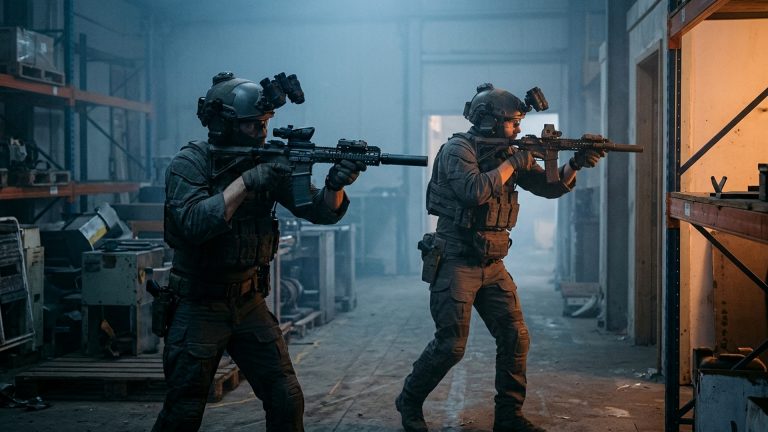
- Camera Gyroscope: Dictates screen movement speed when tilting your phone without firing. This controls crosshair repositioning, hip-fire tracking, and scouting terrain while running.
- ADS Gyroscope: Activates the exact millisecond your finger presses the fire button. This sensitivity directly compensates for continuous vertical and horizontal weapon recoil kickback.
Zero-Recoil Gyroscope Sensitivity Matrix (120 FPS Optimized)
These values represent the golden ratio calibrated across competitive BGIS and BMPS professional tournaments:
| Scope Attachment | Camera Gyroscope | ADS Gyroscope (Recoil Control) | Recommended Grip & Finger Stance |
|---|---|---|---|
| Third Person No Scope (TPP) | 380% – 400% | 380% – 400% | Fast 180-degree hip-fire jiggle tracking |
| Red Dot / Holographic / Aim Assist | 370% – 400% | 380% – 400% | Close-range spray transfers |
| 2x Scope | 300% – 320% | 310% – 330% | SMG mid-range burst spraying |
| 3x Scope | 240% – 250% | 250% – 260% | M416 / AUG primary medium-range sprays |
| 4x Scope (M416 / DP-28) | 180% – 195% | 190% – 205% | DMR single-tapping & mid-range vehicle bursts |
| 6x Scope (Adjusted to 3x) | 120% – 135% | 135% – 145% | Long-range laser sprays (150m – 250m) |
| 8x Scope (AWM / M24 / Kar98k) | 70% – 85% | 75% – 90% | Precision micro-adjustment sniper headshots |
The M416 6x-Down-to-3x Recoil Hack
Never spray a 6x scope at default 6x magnification; the visual camera kick will overpower your phone tilt. Instead, use the Scroll-Down Hack:
- Open your scope on the M416 equipped with a Compensator and Vertical Foregrip.
- Tap the zoom adjustment slider on the left and slide it down from 6x to 3x.
- The Secret: BGMI applies your 6x scope sensitivity values to the scaled-down 3x reticle, granting you tighter angular velocity and zero horizontal weapon bounce!
Verified Cloud Sensitivity Codes (October 2026 Active)
Input these cloud share codes under Settings → Sensitivity → Cloud Layout Management:
- Pro 4-Finger Claw (iPhone/iPad):
7362-8924-1105-4921-653 - Pro 4-Finger Claw (Android 90/120Hz):
7362-8924-1105-4921-654 - 3-Finger Thumb + Gyro Build:
7214-5509-3214-8874-102
Frequently Asked Questions (FAQs)
Why does my gyroscope delay when tilting my phone?
Gyroscope delay or sensor drift occurs when battery saver mode is enabled, which throttles the phone’s internal accelerometer polling rate. Always disable Low Power Mode and calibrate the gyroscope sensor on a flat table in Phone Settings.
Is 400% gyroscope sensitivity too fast for beginners?
If 400% feels uncontrollable, begin at 300% on Red Dot and 200% on 3x scope. Increase sensitivity by 10% every three days in the Training Ground until full tilt stabilization is achieved.
Does using sensitivity codes from other players alter my button layout?
No. Sensitivity share codes and Control Layout share codes are entirely separate in BGMI. Applying a sensitivity code will never overwrite your custom button layout.
🔥Year-Round Gaming Hub: Top 5 Evergreen Master Guides & Listicles
Looking to maximize your hardware performance, dominate competitive lobbies, or upgrade your gaming rig? Explore our most popular evergreen master resources below:
- Windows 11 Gaming Hacks: 7 Hidden Registry Tweaks for Zero Latency (2026) – Tested frametime smoothing and input lag reduction
- October 2026 Video Game Releases Calendar & Buying Guide – Complete release schedule, platforms, prices & retailers
- Best Used GPU Tier List Under $200 for 1080p Gaming – Top graphics cards on eBay with benchmarks and VRAM rankings
- PS5 & PS5 Pro Performance Optimization: 120Hz, VRR & Heatsinks – Teardown, thermal care and HDMI 2.1 display calibration
- Black Myth Wukong Boss Tier List: The Hardest Enemies Ranked – Full difficulty breakdown, dodge timings and secret mechanics
Related posts:
 BGMI Rank Pushing 2026: Ultimate Ethical Hacks to Reach Conqueror
 Pro Gaming Aim Hacks: Zero-Latency Configs, Refresh Rates & Routines
 BGMI 3.5 Update Release Date & Features: Icemire Frontier Mode, Dragon Freeze Vehicle & Royal Pass Leaks
 BGMI 3.5 Icemire Frontier & PUBG Mobile Sunday Masterclass: 400% Gyroscope Zero-Recoil Sensitivity Codes, Frostborne Dragon Loot Routes & 120 FPS Thermal Hacks