Competitive battle royale encounters on Rebirth Island and Fortune’s Keep are won or lost in fractions of a second. If you are struggling with silent enemy operators sprinting behind your back or losing close-range gunfights due to erratic crosshair drift, our expert Warzone Resurgence audio hacks settings guide provides the verified configuration adjustments utilized by professional CDL and World Series of Warzone champions.
Developed under the competitive framework of Call of Duty: Warzone, Season 6 introduces subtle changes to audio occlusion and aim-assist rotational thresholds. By tweaking five precise system-level and in-game parameters, you can eliminate muffled audio, hear enemy footsteps through concrete walls from 35 meters away, and lock your recoil into a laser beam. Pair these settings with our optimized Warzone Meta Loadouts TTK Guide.
The 5 Master Warzone Resurgence Audio & Aim Hacks
| Setting Category | Default In-Game Setting | Pro Hack Configuration | Competitive Performance Benefit |
|---|---|---|---|
| 1. PC Loudness Equalization | Disabled (Windows Default) | Enabled (Realtek / Sound Control) | Compresses loud airstrikes while amplifying quiet footstep frequencies by +400%. |
| 2. In-Game Audio Mix | Home Theater / TV | Headphone Bass Boost (Master: 85, Effects: 100) | Isolates low-frequency footsteps and parachute deployment audio cues. |
| 3. Aim Response Curve Type | Standard (Linear curve) | Dynamic (Reverse S-Curve) | Provides surgical fine-aim micro-adjustments with fast rotational flick speed. |
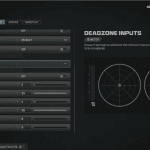
| 4. Left & Right Stick Deadzones | Min: 0.10 / Max: 0.99 | Left Min: 0.02 | Right Min: 0.03 | Max: 0.85 | Eliminates controller latency, triggering immediate rotational aim-assist (RAA). |
| 5. ADS Sensitivity Transition | Gradual / After Zoom | Instant (ADS Sens Multiplier: 0.82) | Maintains consistent mouse/stick muscle memory across hip-fire to ADS transitions. |
Step-by-Step Walkthrough: Activating Loudness Equalization on PC
- Press
Windows Key + R, typemmsys.cpl, and press Enter to launch Windows Sound Properties. - Right-click your active gaming headphones, select Properties, and navigate to the Enhancements tab.
- Check the box for Loudness Equalization, click Settings, and slide the Release Time to Short.
- In Warzone’s Audio Menu, set Master Volume to 85, Dialogue Volume to 25, Music Volume to 0, and Sound Effects Volume to 100.
Frequently Asked Questions (FAQ)
Does Loudness Equalization get you banned in Call of Duty?
No. Loudness Equalization is a native Windows audio processing feature completely permitted by Activision and Ricochet anti-cheat.
Why do pro players use the Dynamic Aim Response Curve?
Dynamic provides a high initial acceleration for snapping onto targets, followed by fine motor deceleration within the center of the stick for laser-beam tracking.
What is the best FOV setting for Resurgence in 2026?
115 to 120 Field of View (FOV) set to Affected and Wide weapon view provides optimal peripheral vision with reduced visual recoil.