OMEN Gaming Hub Update 2026 Free AI FPS Boost Voicemod
🚨 TL;DR SUMMARY 🚨
- The Big News: HP has released massive new updates for the OMEN Gaming Hub, introducing AI-powered FPS boosting and built-in voice changers.
- Best New Feature: Full integration with Voicemod, allowing you to use professional voice changers in games like Valorant and CS2 directly from the hub.
- Who Can Use It: EVERYONE! You do not need an HP OMEN laptop to download and use the OMEN Gaming Hub on your Windows PC.
If you are struggling with low FPS in PC games or want to start trolling your friends in Discord with professional voice filters, HP just released an update that you need to download immediately.
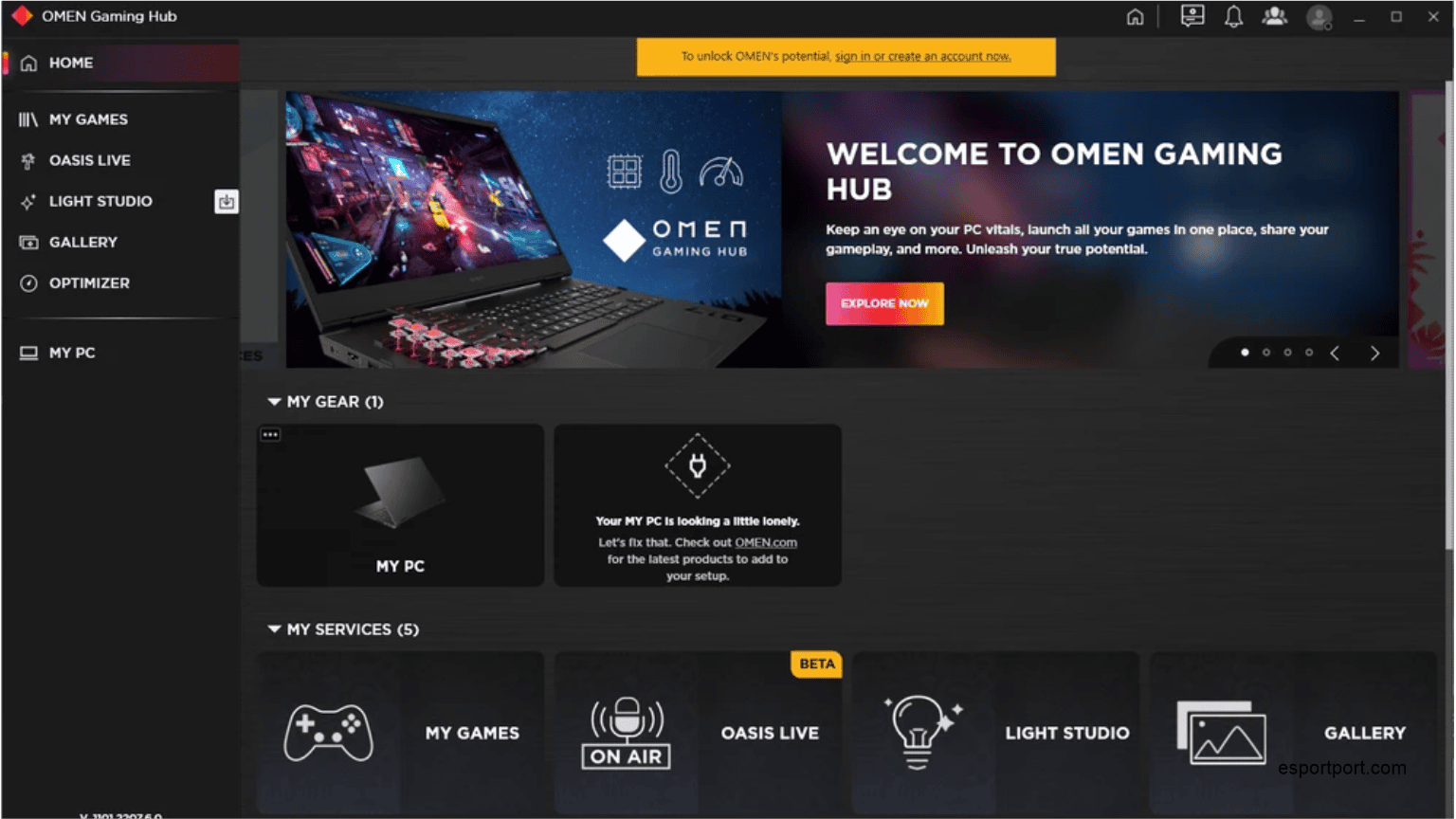
The OMEN Gaming Hub has evolved from a basic hardware monitor into one of the most powerful free optimization tools for Windows gamers. Here are the biggest features added in the latest 2026 updates that make it a must-download!
🚀 1. OMEN AI Optimizer: Free FPS Boost
The biggest addition to the OMEN Gaming Hub is the expanded AI Support. Instead of forcing you to manually tweak graphics settings, the AI Optimizer scans your hardware and automatically adjusts your system settings for maximum frame rates.
- Expanded Game Support: The optimizer now fully supports heavy titles like Marvel Rivals, alongside massive casual hits like Minecraft and Roblox.
- How it Works: It dynamically re-routes your CPU and RAM resources away from background Windows tasks and directly into your game, guaranteeing zero stuttering during intense moments.
🎙️ 2. Voicemod Integration: Free Voice Changers
You no longer need to download sketchy third-party apps to change your voice. HP has officially partnered with Voicemod and integrated it directly into the OMEN Gaming Hub.
- What it does: Allows you to change your voice in real-time in game lobbies (CS2, Valorant, BGMI emulator) and Discord.
- Soundboards: Gives you access to massive soundbite libraries to play meme sound effects during your matches.
🎥 3. HeyGen AI Avatars
For aspiring streamers and content creators, the new HeyGen integration allows you to generate AI avatar-based videos and gameplay highlights automatically. It clips your best in-game moments so you can instantly upload them to Instagram Reels and YouTube Shorts without opening video editing software.
ALSO READ: Are you looking to boost your FPS in CS2? Therefore, you must read our complete CS2 Best Settings 2026: 300+ FPS Pro Guide!
💻 How to Download OMEN Gaming Hub (Free)
The best part about this software is that you do not need an HP computer to use it. It works on Lenovo, Dell, Asus, and custom-built PCs!
- Open the Microsoft Store on your Windows 10/11 PC.
- Search for “OMEN Gaming Hub”.
- Click “Get” (It is 100% free).
- Launch the app, create a profile, and click the “Optimizer” tab to start boosting your FPS!
Have you tried the new OMEN AI optimizer yet? Did it increase your FPS? Let us know your results in the comments below!